Viewing a standard summary report in Bill Analyst
You can view standard summary billing reports in Bill Analyst. Standard reports provide an overview of trends in your billing data. You can also create a custom summary billing report if you want to tailor a report to your needs. (To view detailed billing reports view a standard detail billing report or create a custom detail billing report.) You can also add a description to a service to add more meaning to your reports.
To view a standard summary report:
- Using the left menu, click Billing, then click Bill Analyst.
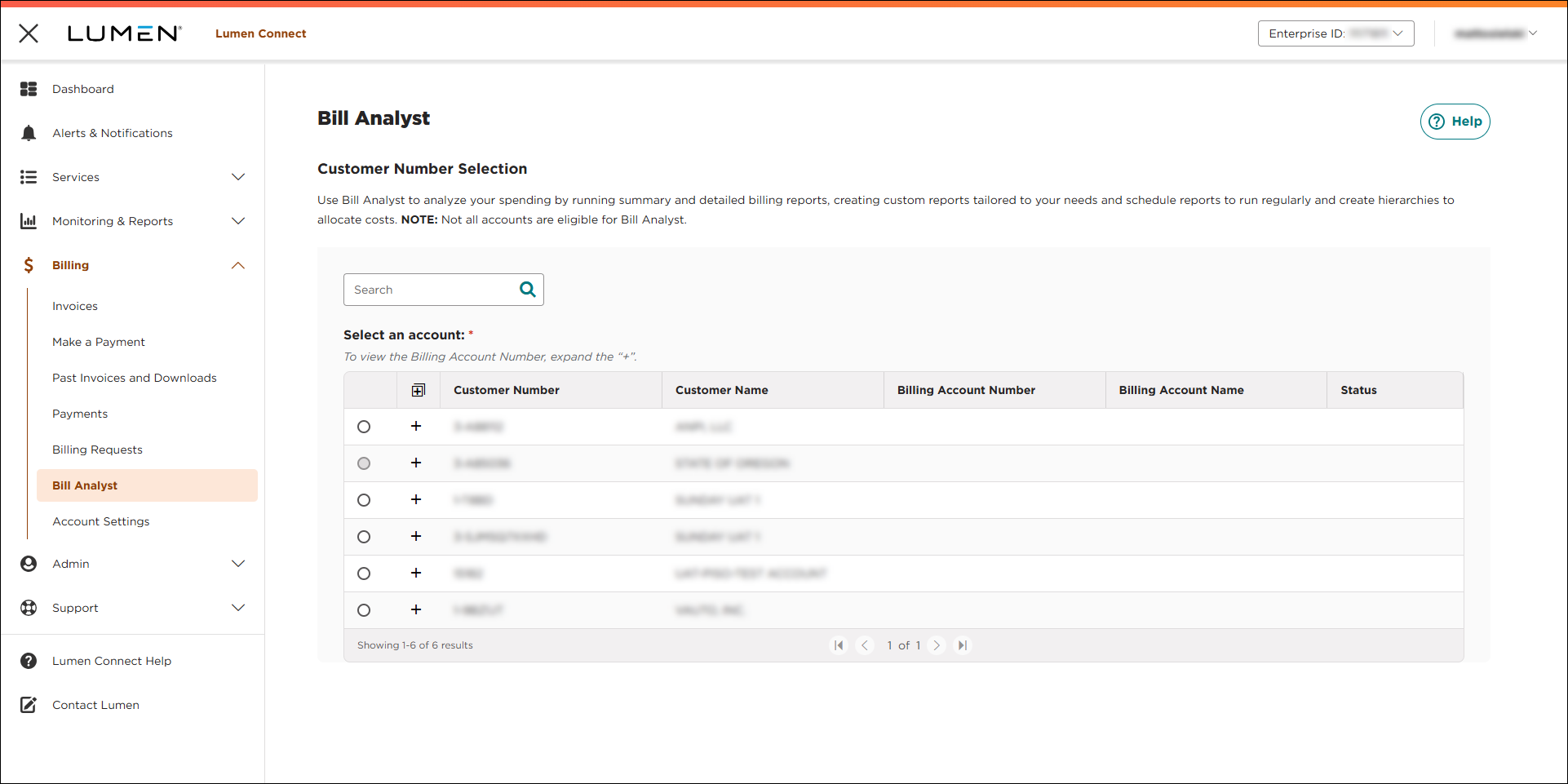
- Select the radio button next to the account you want to view, then click LAUNCH BILL ANALYST.
Lumen Connect opens Bill Analyst on a new tab.
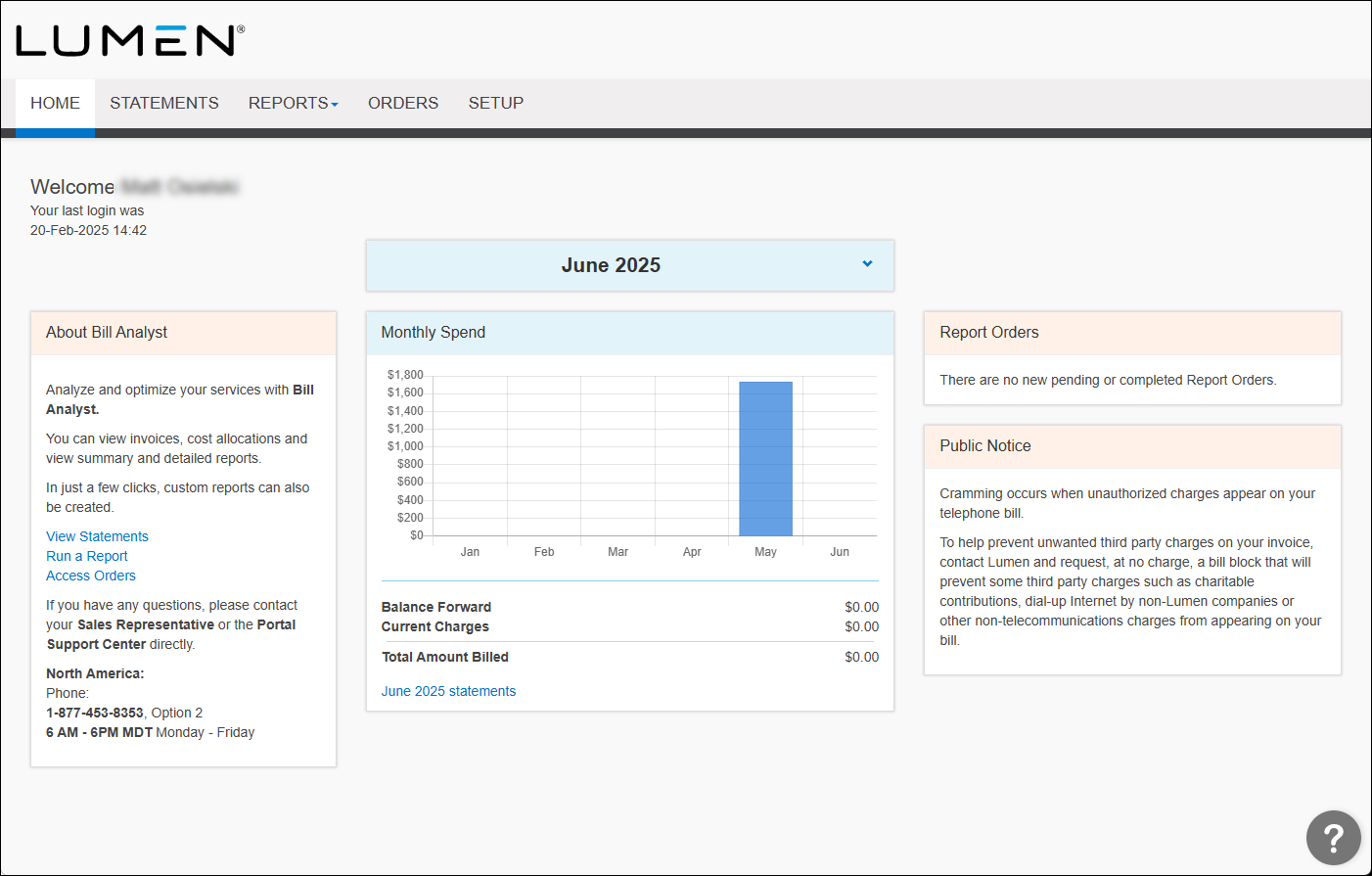
- Click the Reports tab, then click Summary Reports.
Bill Analyst lists the available summary billing reports.
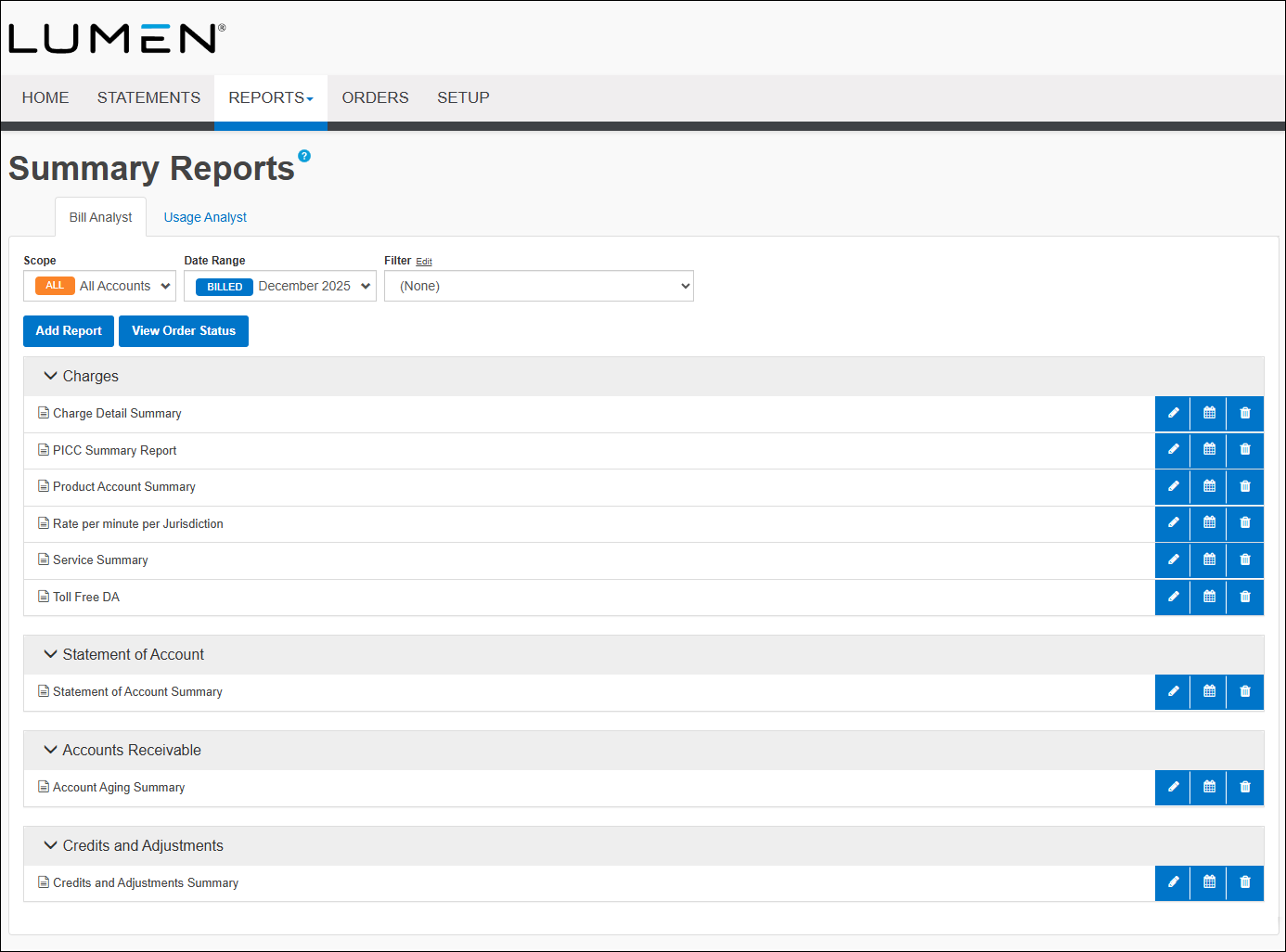
- In the Charges section, click on the name of the report you want to view.
- To view the data in a graph instead of a table, click the graph icon.



