

Viewing a statement in Bill Analyst
You have access to all of your billing statements in Bill Analyst so you can compare, consolidate, group, export, or print them. You can also order a statement if you want to receive it on a monthly basis.
To view a statement:
- Using the left menu, click Billing, then click Bill Analyst.
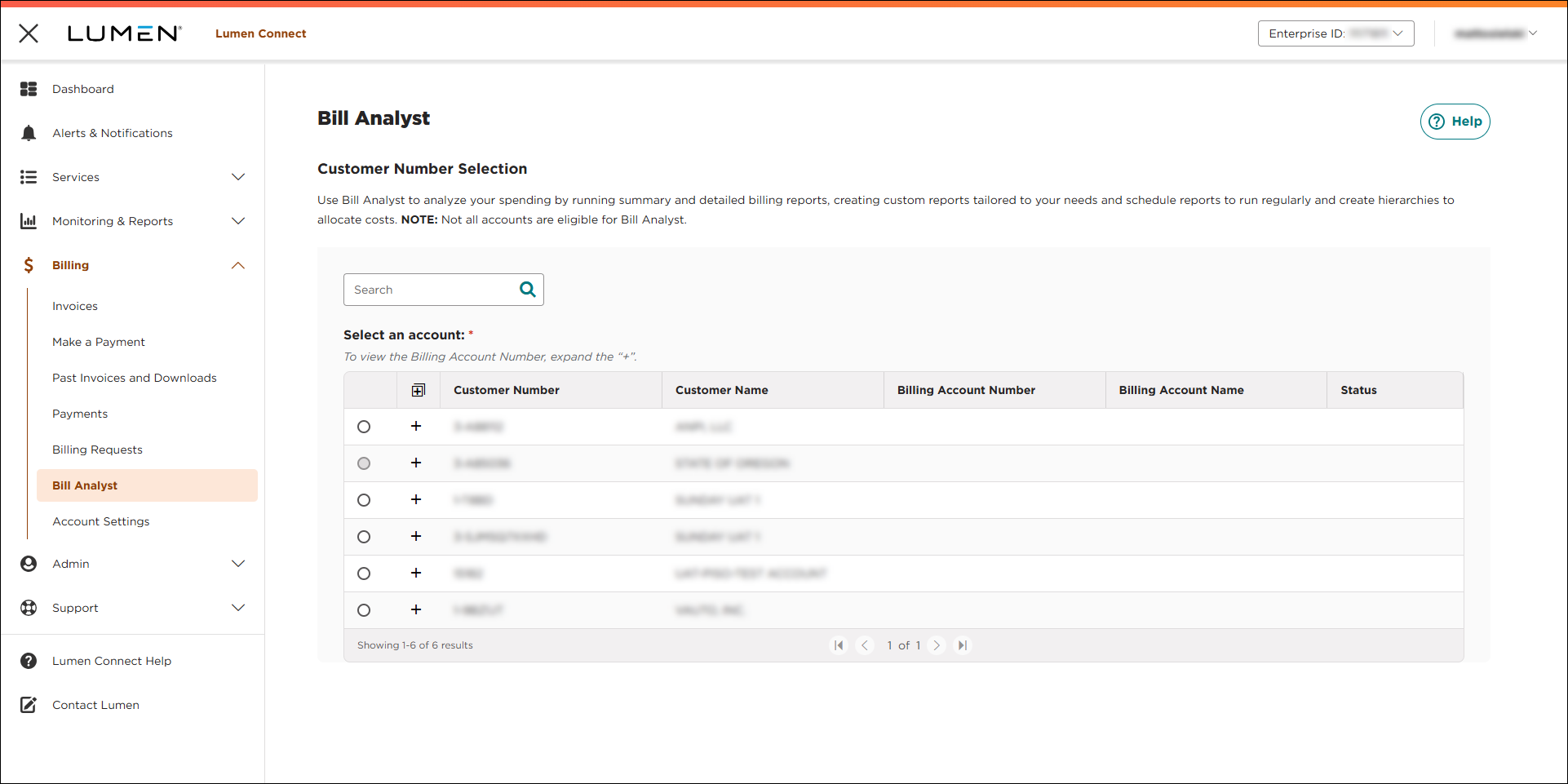
- Select the radio button next to the account you want to view, then click LAUNCH BILL ANALYST.
Lumen Connect opens Bill Analyst on a new tab.
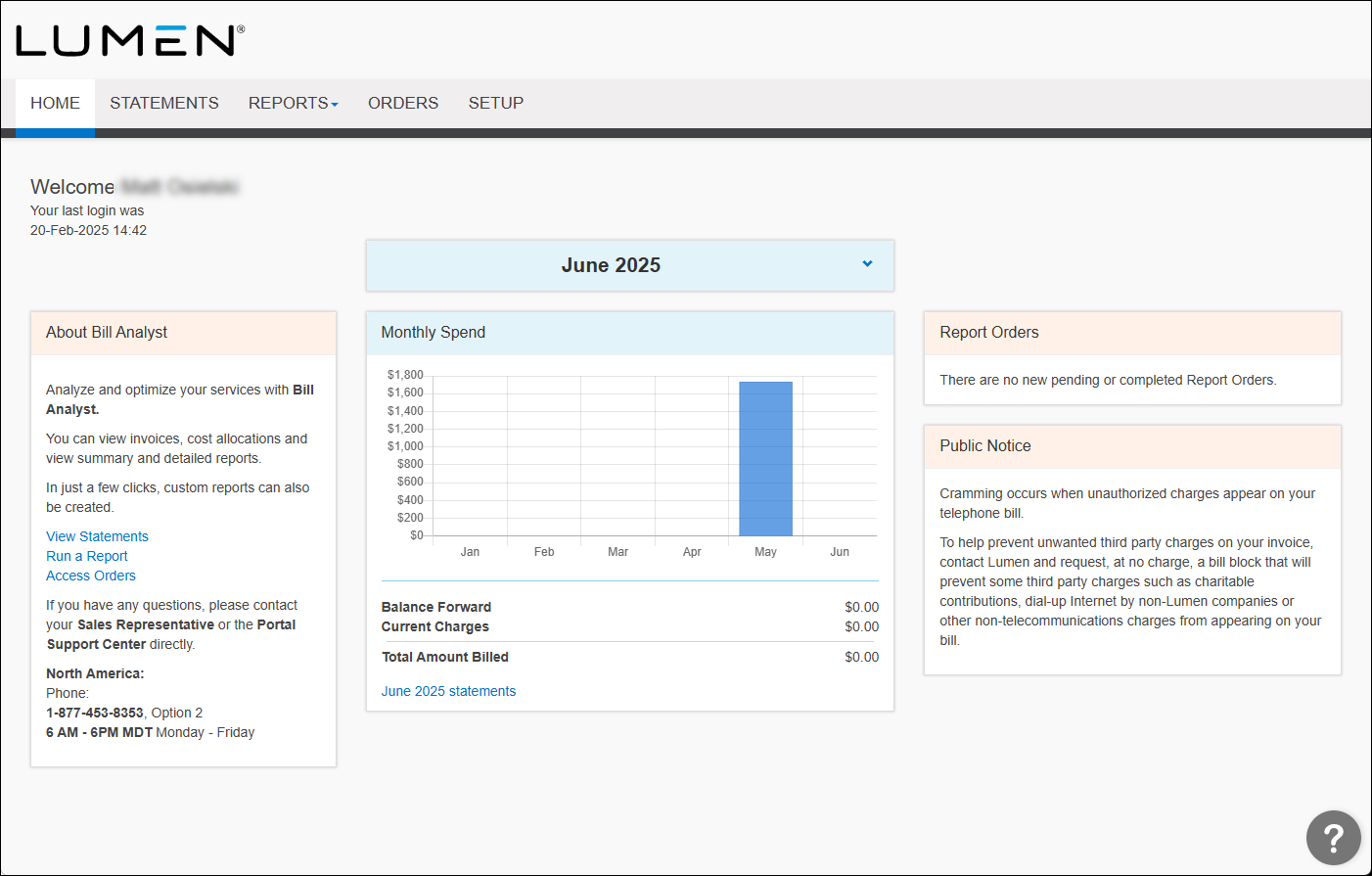
- Click the Statements tab.
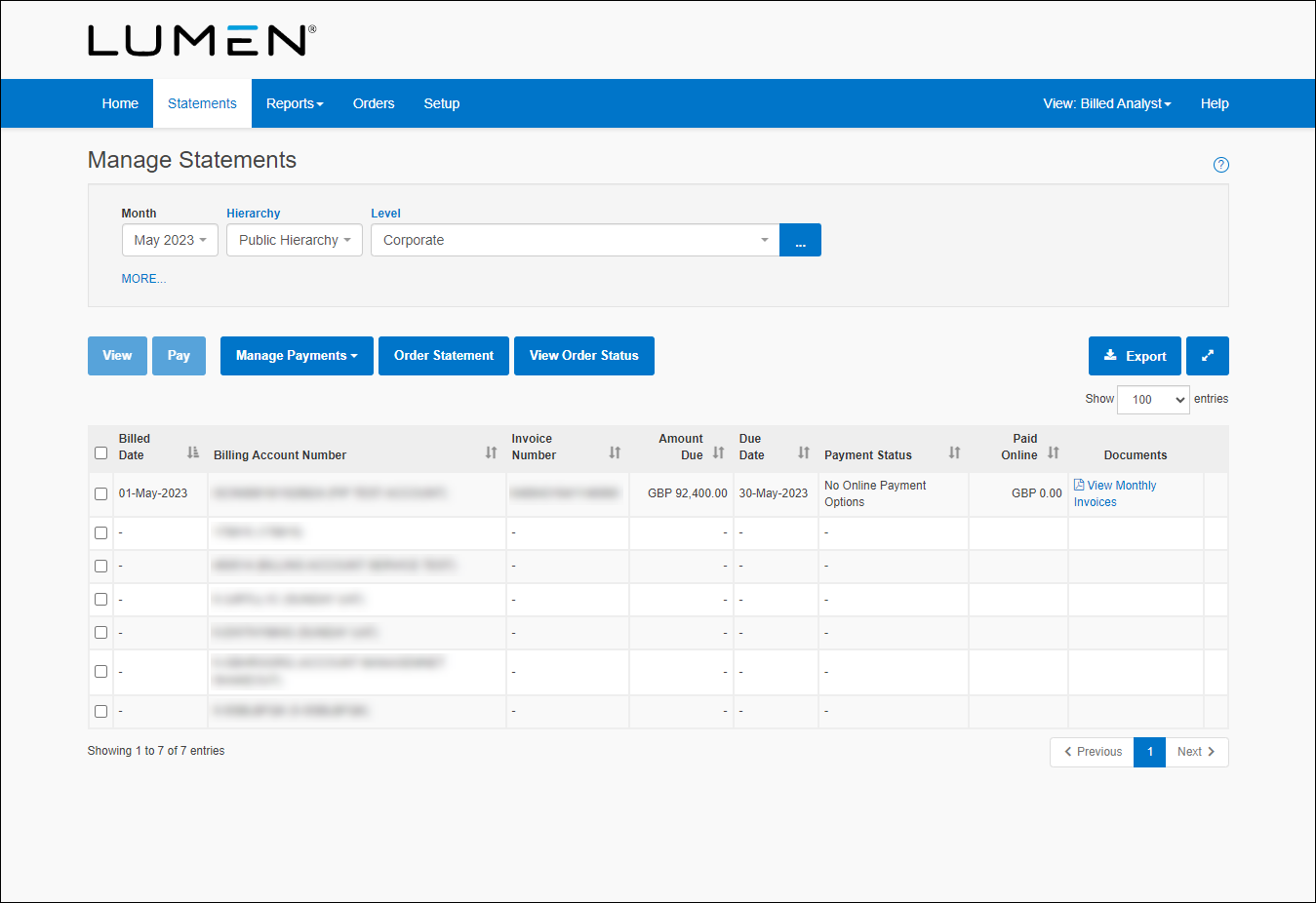
- Select the checkbox next to the statement you want to see, then click View.
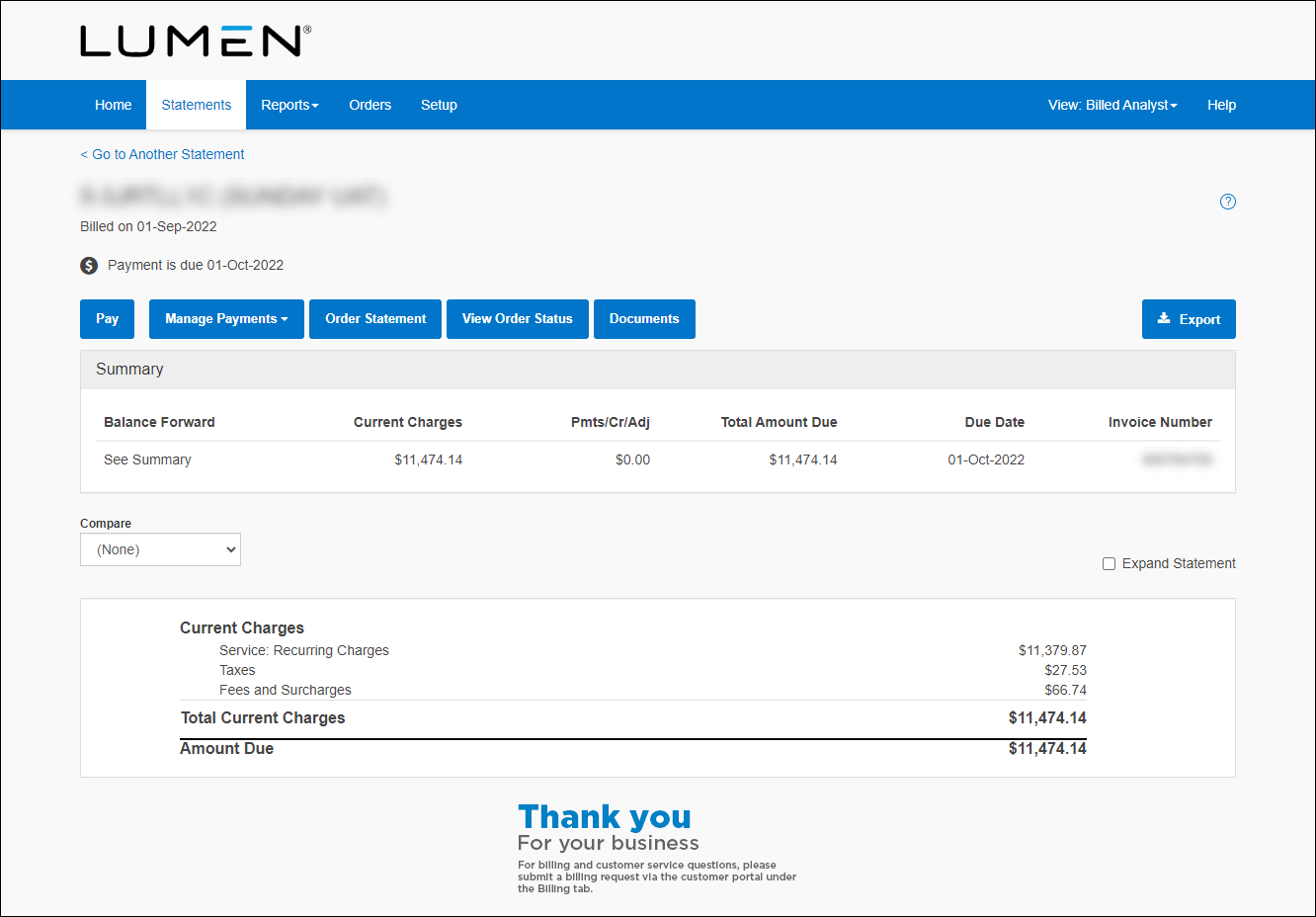
- To see more details, select the Expand Statement checkbox.



