Changing your billing address
Using Lumen Connect, you can change the billing address associated with Lumen services by creating a billing request.
To change your billing address:
- Using the left menu, click Billing, then click Billing Requests.
Lumen Connect shows open billing requests for your organization, closed billing requests for the past 18 months, and a status for each request: Open, Active, or Closed.
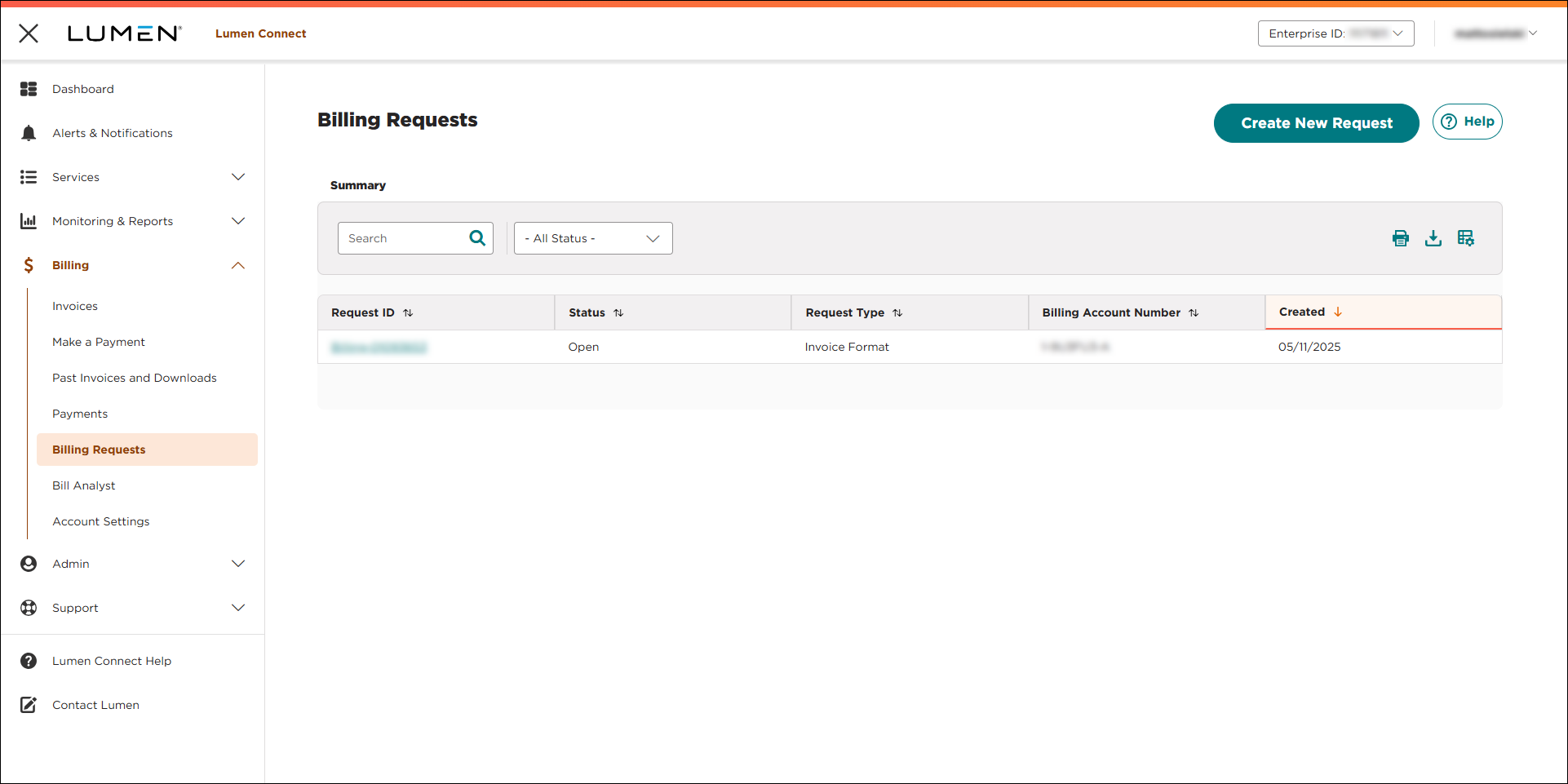
- Click CREATE NEW REQUEST.
- Use the radio buttons to select the billing account number you want to create a request for, then click CONTINUE.
- Under the What is your billing request? heading, select the Billing Name/Address/Contract/PO Change radio button.
- From the Dispute Type list, select Billing Account Name or Address Change.
- To change the information on your bill, do the following:
- If you need to update only the name on the account, type the new name in the New Billing Account Name field.
- If you need to update only the address on the account, type the new address in the New Billing Account Address field.
- If you need to update both the name and address, fill in both fields.
- If you need to update only the name on the account, type the new name in the New Billing Account Name field.
- Select the bill date for the invoice showing the incorrect information.
- In the Describe the billing request field, add any additional information that would be helpful for Lumen to process your ticket.
- If you have an internal tracking number or description for your organization, type it in the Customer Tracking ID.
- To fill in the contact information, do one of the following:
- If you'd like to the be primary contact for this ticket, verify your contact information in the fields. (If the information isn't correct, you may want to update the information in your Lumen Connect profile after you submit this request to save typing updates for each request you submit.)
- If you'd like someone else to be the primary contact for this request, type their contact information in the fields on the left.
- If you'd like to be the primary contact, but want an additional contact to be listed, verify your information in the fields on the left and type the information for the secondary contact in the fields on the right.
- If you'd like to the be primary contact for this ticket, verify your contact information in the fields. (If the information isn't correct, you may want to update the information in your Lumen Connect profile after you submit this request to save typing updates for each request you submit.)
- Click SUBMIT.
Lumen Connect submits your billing request and gives you a request ID; you can now track its status. A Lumen billing specialist will update your request within 72 hours; Lumen Connect changes the status from Open to Processing. (If you don't receive an email, check and change your Lumen Connect notification settings to receive alerts.)



