Creating a security repair ticket
If you have issues with or questions about one of your security services (such as security degradation, outages, or security‑reporting questions), you can create a security repair ticket using Lumen Connect. If you have an urgent request, you can contact us by phone. If you need to request a change to your security service, you can create a security change request instead of opening a security repair ticket.
To create a security repair ticket:
- Using the left menu, click Support, then click Security Repair Tickets.
Lumen Connect lists the security repair tickets you've created in the past 30 days with a status for each ticket, the service ID the ticket is for, the type of ticket, the date the ticket was created, and the date the ticket was last updated.
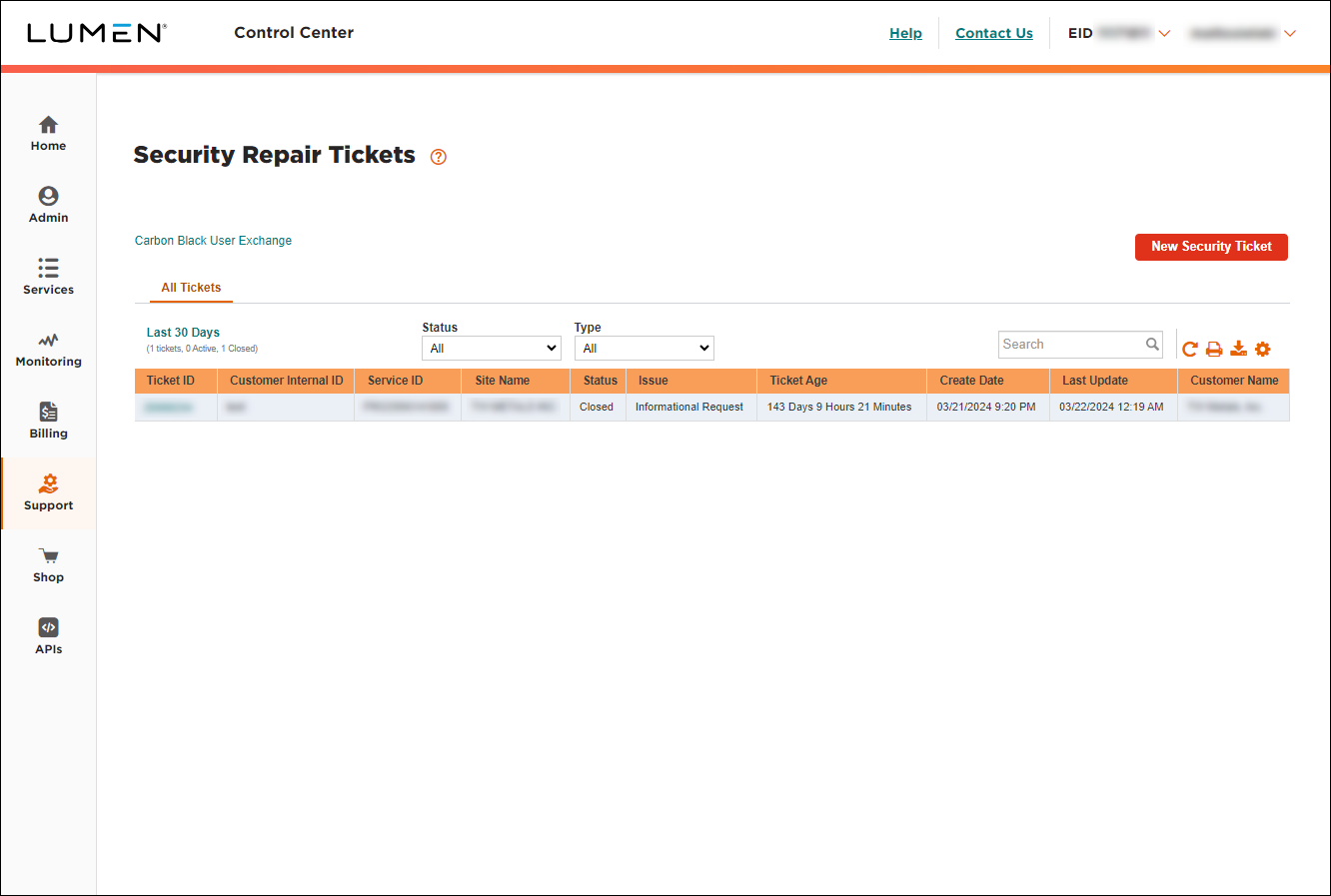
- Click New Security Ticket.
- Select the radio button next to the service you want to open a ticket for. (If you don't see the service listed, click Service ID Not Listed, then type the service ID (13‑digit ID starting with FRO), select the product type and billing account, then select Continue.)
- From the lists, select the feature your ticket is related to and the type of issue or request you have.
- In the Additional information regarding this issue/request field, type the details for your request. Be sure to provide enough information so we can process your request.
- If you're tracking the ticket in another system within your organization, you can type it in the next field.
- In the Attachments section, you can attach any documents (such as a more detailed explanation of the problem or additional details pertaining to your request), you can upload up to five documents (up to 2MB each). To attach a document, click Add Attachment, browse to locate the file, then click Open.
- In the Authorization section, tell us whether we can run remote intrusive testing to help diagnose the problem. If you authorize testing, you can select whether we can test 24x7 or within certain timeframes and on certain days (e.g., only on after 5:00pm on weekdays and all day on weekends).
- In the Contacts section, do the following:
- From the Preferred Contact Method list, select how you want us to contact you about this issue.
- Either leave yourself as the primary contact or manually fill in the contact information for that person.
- If you want to add a secondary contact for this issue, type their information.
- From the Preferred Contact Method list, select how you want us to contact you about this issue.
- Click Submit.
Lumen Connect submits your ticket. A representative will be assigned to your ticket within four hours and will work with you to resolve your issue. You can track the status of your ticket online and also add notes to the ticket to communicate with Lumen.



