

Creating a reason for outage request for a security repair ticket
You can request a reason for outage (RFO) report on a closed security repair ticket for outages caused by Lumen. The RFO report gives you the root cause of the outage and the steps we’ve taken to help prevent the issue from happening again.
To create a reason for outage request for a security repair ticket:
- Using the left menu, click Support, then click Security Repair Tickets.
Lumen Connect lists the security repair tickets you've created in the past 30 days with a status for each ticket, the service ID the ticket is for, the type of ticket, the date the ticket was created, and the date the ticket was last updated.
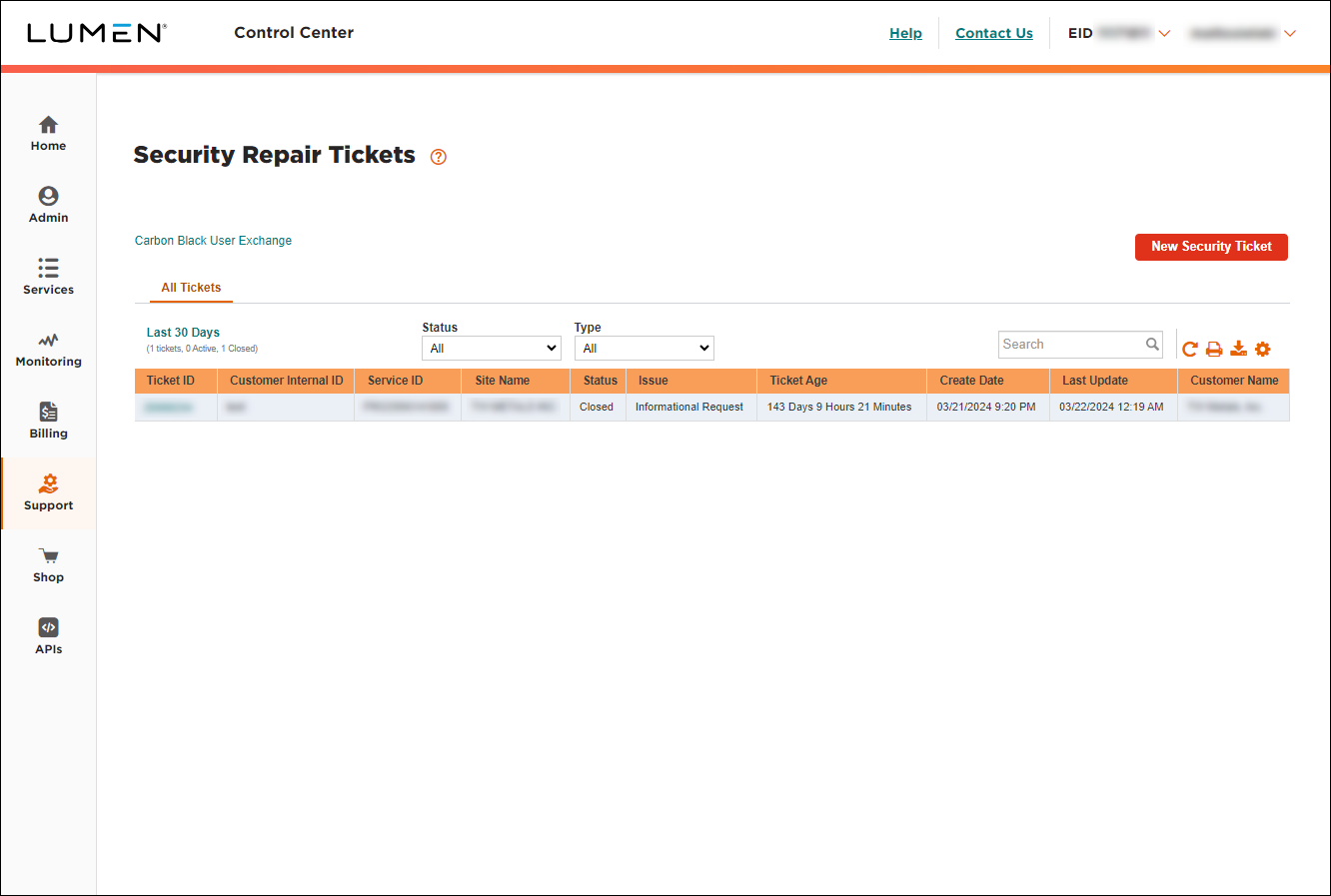
- Click the ticket ID for the closed ticket you want to request an RFO report for. (If you have a lot of tickets, you can select Closed from the Status list to see only closed tickets. Learn more about searching, filtering, and sorting your security repair tickets.)
Lumen Connect shows the details for the ticket you selected.
- Click Request Reason for Outage.
- If you have specific questions or need additional information, type it in the Additional detail field.
- Review the contact information for the request and make any edits you need to.
- Type the reason you're requesting the report.
- Click Submit, then click OK to close the confirmation message.
A Lumen service representative reviews your request and emails you the RFO report. You can also check the security repair ticket details for notes from the service representative.



