

Disabling Rapid Threat Defense for SASE
If you no longer want Lumen® Rapid Threat Defense protecting a Lumen® SASE with Fortinet® service, you can disable it in Lumen Connect. If your business needs change later, you can enable it again.
To disable Rapid Threat Defense for SASE:
- Using the left menu, click Services, click Service Tools, then click SASE Management.
Lumen Connect shows details about your service: configured SASE nodes (with a status for each), information about your technology provider, notifications (if any) related to your SASE service, etc.
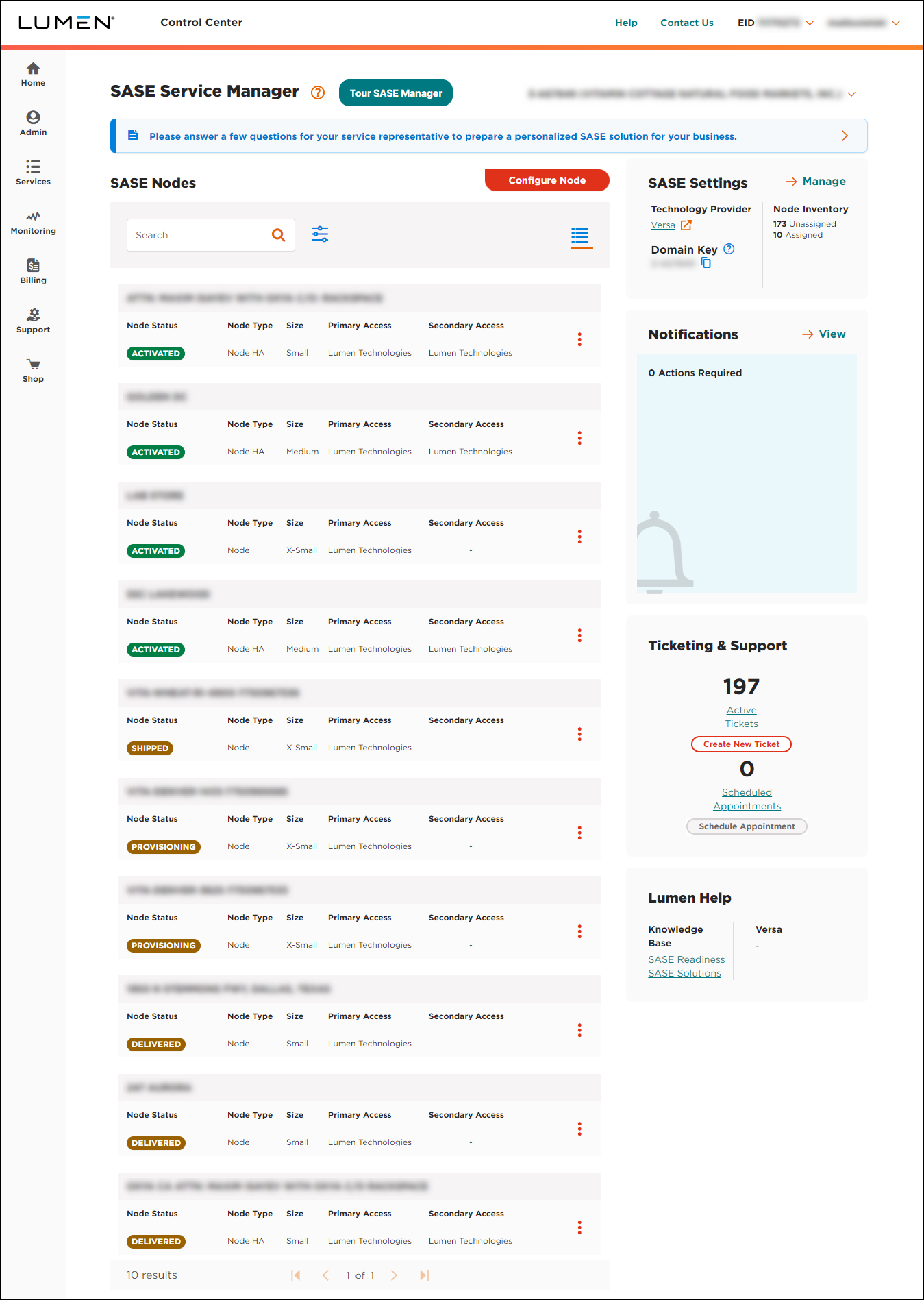
- In the SASE Settings box, click Manage.
Lumen Connect shows the settings for your SASE service: technology provider, service package, purchased services, service contacts (in your orgainzation), Rapid Threat Defense setting (if appicable), and unassigned nodes (premise-based nodes, Lumen-hosted gateway nodes, and virtual instance nodes).
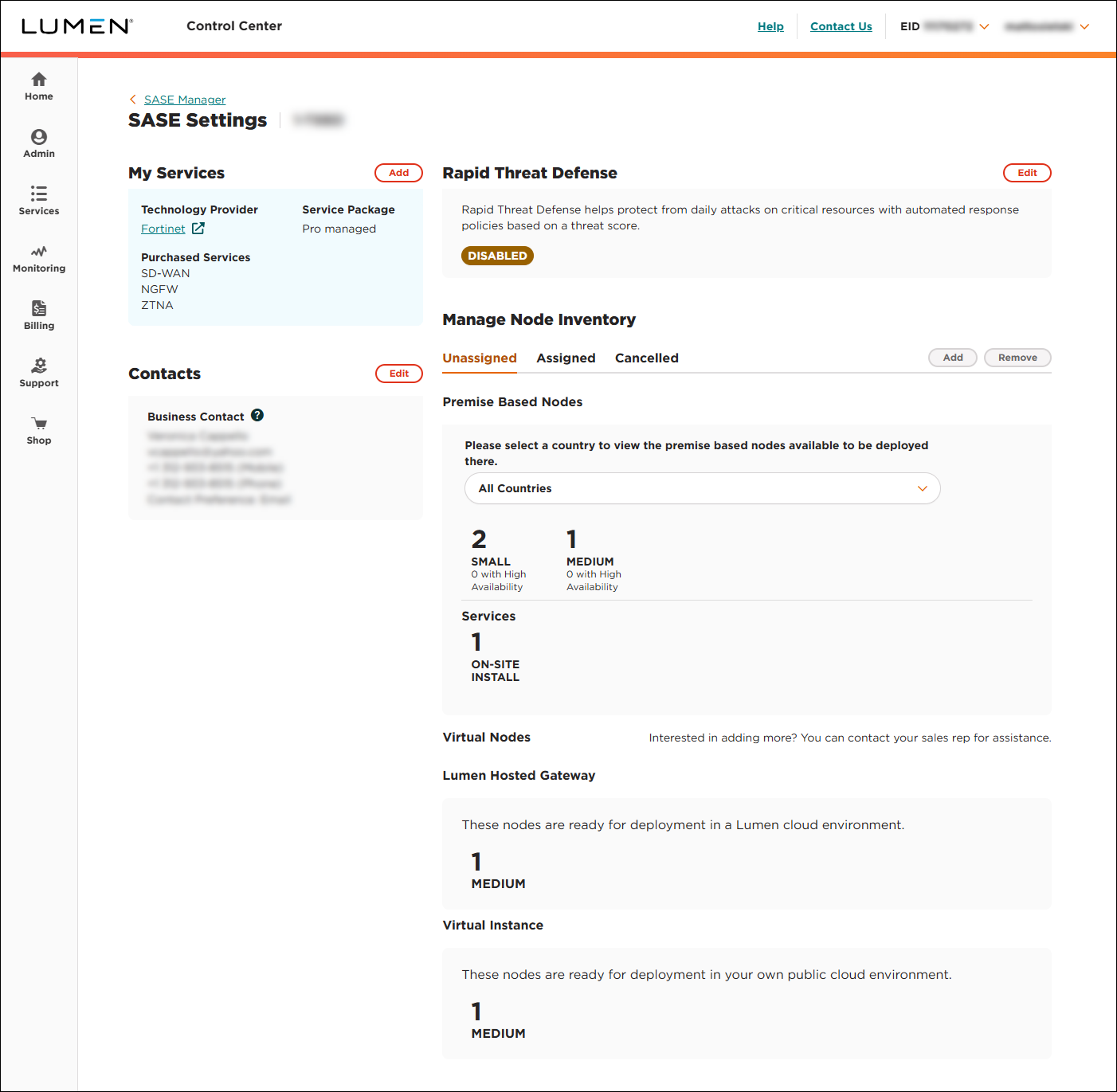
- In the Rapid Threat Defense section, click Edit.
- Select the DISABLE radio button, then click CONTINUE.
- Select the Execute my Scriptlet now. radio button, then click SUBMIT.
Lumen Connect disables Rapid Threat Defense for the service.



