

Adding the Mobility Feature Pack to a Voice Complete phone number
Phone numbers on your Lumen® Voice Complete® service automatically include Feature Pack 1; you can add the Mobility Feature Pack to a Voice Complete phone number by submitting a change request in Lumen Connect. Once the feature pack is added to the phone number, you can manage the features using the Voice Complete Feature Manager (within Lumen Connect). If you no longer need the feature pack assigned to a phone number, you can remove it.
To add the Mobility Feature Pack to a Voice Complete phone number:
- Using the left menu, click Services, click Service Requests, then click Change Requests.
Lumen Connect shows all open and recently closed change requests (by default, within the past 30 days) for your organization with a status for each request.
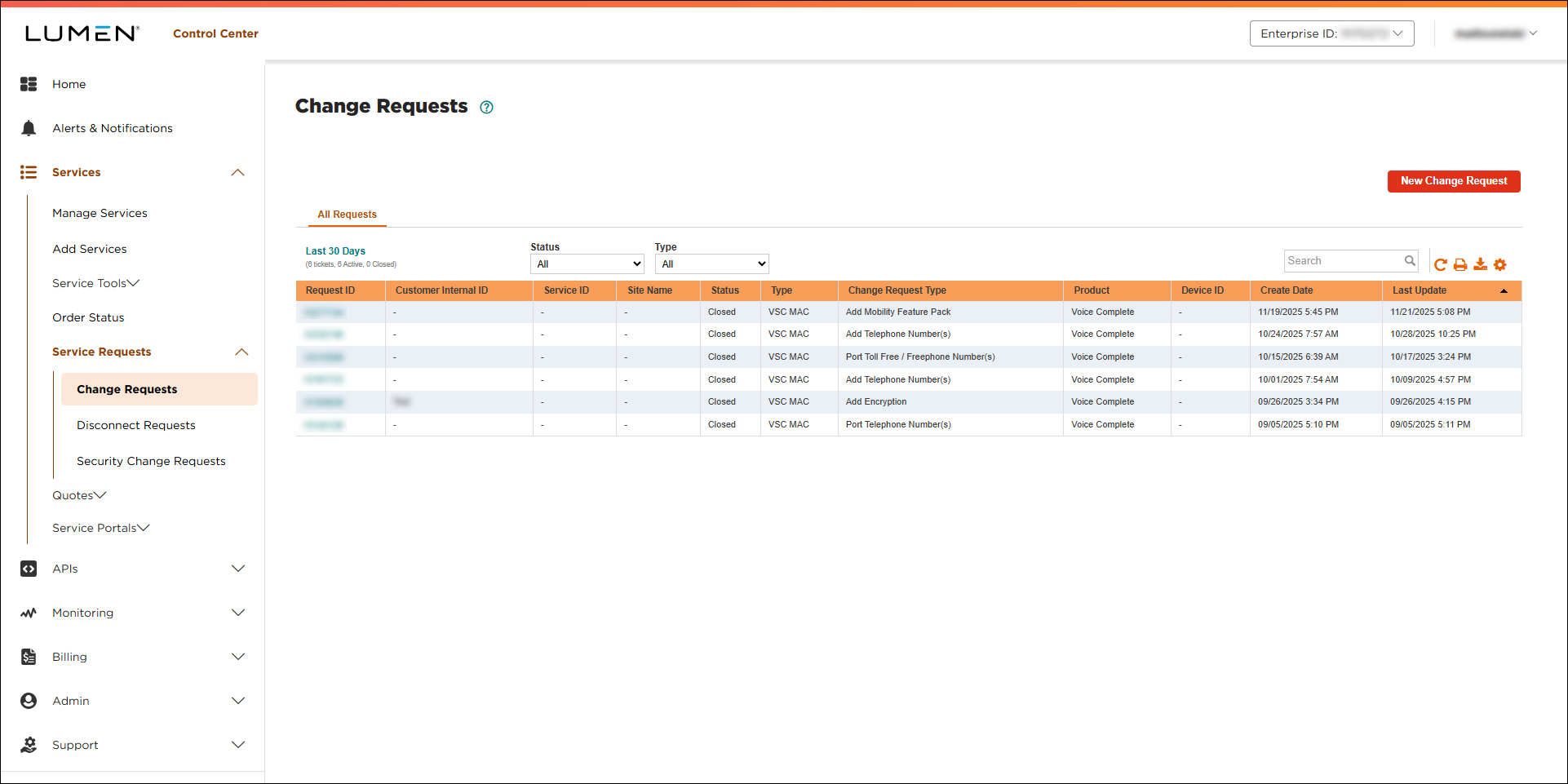
- Click New Change Request.
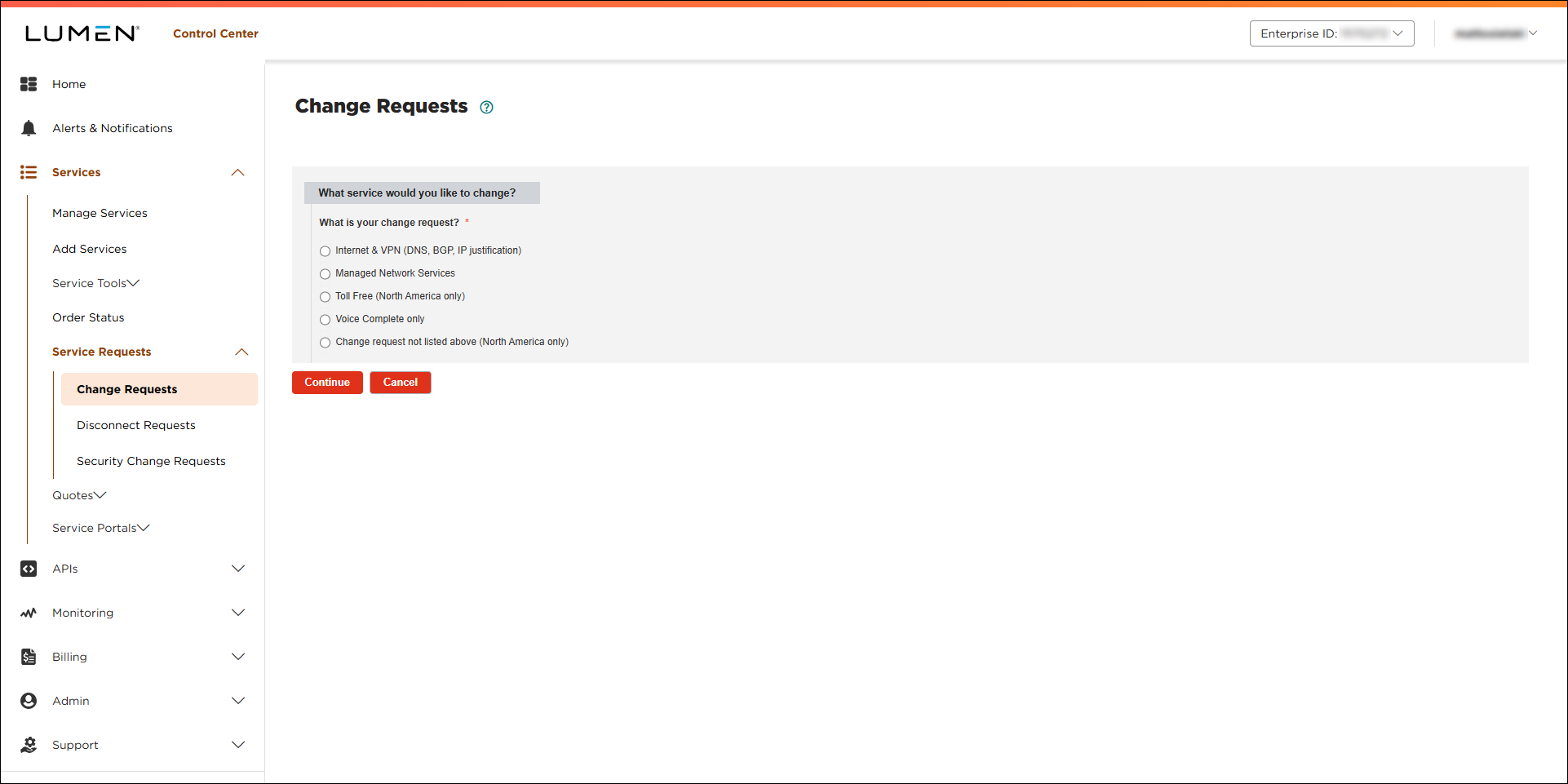
- Click the Voice Complete only radio button.
- From the Customer Number and Billing Account lists, select the customer number and billing account for the Voice Complete service.
- From the Product list, select Voice Complete.
- Click Continue.
- From the Voice Complete Change Request Type list, select Add Mobility Feature Pack.
Lumen Connect creates the form to hold the information for your request and loads the Voice Complete phone numbers for the customer number and billing account number you selected.
- In the Add Mobility Feature Pack section, click the checkbox next to the number(s) you want to add the Mobility Feature Pack to.
Lumen Connect lists the number(s) you select in the Selected Telephone Numbers section.
- In the Additional Details section, do the following:
- In the Customer Requested Due Date field, select the date you'd like us to make the change.
- If you need to add a tracking or ticket number for your organization, fill in the Customer Internal Ticket ID field.
- If you have any additional information that would help us process your request, type it in the Additional information that could help address this change request? field.
- If you have any files to help us process your request, click Browse (under Attachments), locate and select the file(s), then click Open.
- In the Customer Requested Due Date field, select the date you'd like us to make the change.
- Fill in the Contact Information section to tell us who to communicate with for this request (and what method to use):
- Select how we should notify you of status updates for this request: Portal only; Email and Portal; or Phone, Email, and Portal.
- Verify your contact information (or update the information for the person you'd like to be contacted with updates).
- If you need to add a secondary contact for this request, click Add Secondary Contact, then type their name, phone number, and email address.
- Select how we should notify you of status updates for this request: Portal only; Email and Portal; or Phone, Email, and Portal.
- Select the checkbox acknowledging you're requesting the change on behalf of your organization and accept and charges associated with this request.
- When you're done, click Submit.
Lumen Connect submits your change request. You can now track its status online. You can also need to update your request or close the request later as needed.



