Toggle Navigation Toggle Navigation
  • Lumen Connect overview
  • Getting started/General
  • Services
  • APIs
  • Monitoring & Reports
  • Billing
  • Admin
  • Support
  • Orders (Wholesale)
  • Other portals overview
  • Media portal
  • DDoS Mitigation & Reporting
  • Security Solutions portal
  • VoIP portal
  • View all product support
  • Infrastructure
  • Connectivity
  • Security
  • Communication
  • Media & Entertainment
  • LSR portal
  • Port Out Request tool
  • Virtual Front Office
  • Readiness overview
  • Product-specific readiness
  • Handbooks
  • All infrastructure services
  • Edge Bare Metal
  • Edge Gateway
  • Edge Private Cloud
  • Encrypted Wavelength Service
  • Network Storage
  • All connectivity services
  • Ethernet On-Demand
  • Fiber+ Internet
  • Internet On-Demand
  • IP VPN On-Demand
  • NaaS Port
  • On-Demand services
  • Troubleshooting tools
  • All security services
  • Adaptive Network Security
  • Adaptive Threat Intelligence
  • Application Delivery Solutions
  • DDoS Hyper
  • DDoS Mitigation Service
  • Lumen Defender Powered by Black Lotus Labs
  • Lumen SASE with Fortinet
  • Lumen SASE with Versa
  • Lumen SASE with VMware
  • Network-based Security
  • SD-WAN with Cisco Meraki
  • SD-WAN with Versa Networks
  • Security Log Monitoring
  • All communication services
  • Cloud Voice
  • Hosted VoIP
  • Local Inbound (LI)
  • Lumen Solutions for Microsoft Teams
  • Lumen Solutions for Webex
  • Lumen Solutions for Zoom
  • Lumen Solutions for Zoom for Government
  • SIP Trunking
  • Unified Communications and Collaboration
  • Voice Complete
  • VoIP Enhanced Local (ELS)
  • VoIP services
  • Vyvx® Broadcast Solutions
  • North America
  • Asia Pacific (APAC)

Using applications on your phone (VVX 3xx/4xx series)

You can use your phone to browse the internet with the applications feature if your organization's administrator gives you permission to access a browser or website.

To find applications:

  1. Press the Home button to the right of your display.
  1. Use the left, right, up, and down navigation keys to locate and highlight Applications.
  1. Press the Select soft key.

     The website or browser defined by your organization's administrator will show on your display.
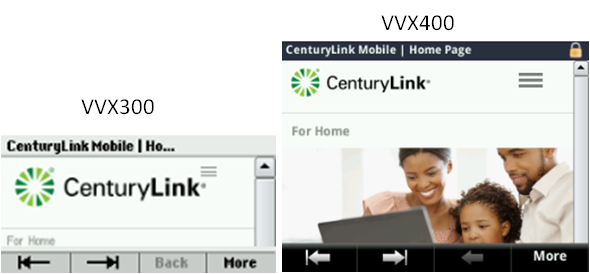
300 400 applications

You can use your phone to browse the internet with the applications feature if your organization's administrator gives you permission to access a browser or website.
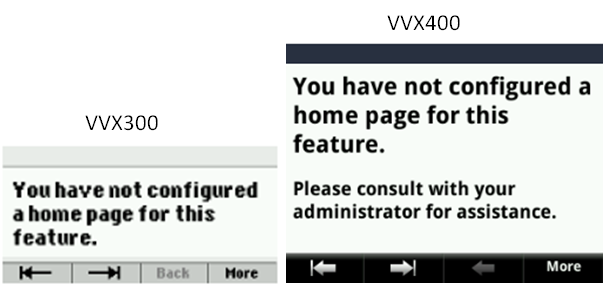

300 400 applications error