

Viewing your favorites list (VVX 3xx/4xx series)
You can locate favorites on your VVX 3xx/4xx series phones from your display (if the favorite has a low index number), favorites list, or via your home button.
The fastest way to identify contacts you've designated as a favorite is to look at your display. Any contact with a gray silhouette is designated as a favorite.
To view and and use a favorite on your display:
- With your phone on-hook (idle), press the physical button next to a gray silhouette key.
- Press a soft key at the bottom of the display to call the contact (dial), make changes to the contact information (edit), or remove the favorite designation (delete as a favorite).
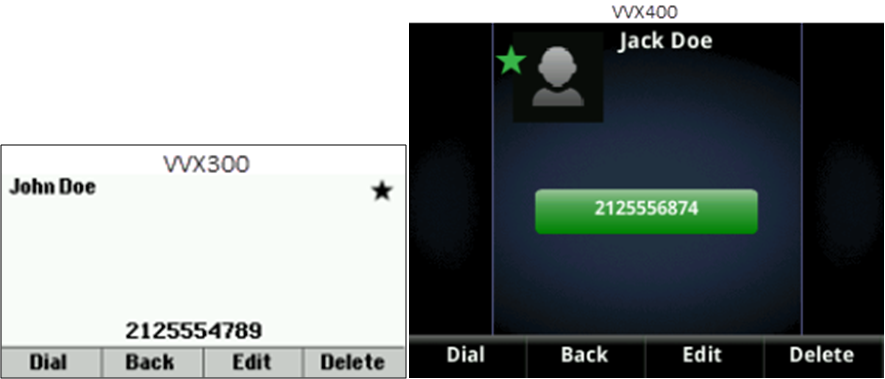
Another way to view and manage your favorites is by accessing the favorites list. You can edit information for a favorite and assign a new index number to reorder how your favorites appear on your display as well as within your favorites list.
To view and use contact information from your favorites list:
- Press the up navigation key.
All favorites will be listed in numeric order (1–9999) by favorites index.
- Press the up and down navigation keys to locate your contact.
To access your favorites list via the home button:
- Press the Home button.
- Navigate to Directories and press the Select button (in the center of the navigation keys).
- Use the down navigation key to highlight Favorites, then press the Select soft key.
- Use the up and down navigation keys locate your contact.



