Retrieving a parked call on your phone (VVX 50x/60x series)
After you park a call or are notified that a call is parked for you, you need to retrieve the call within a specific amount of time; otherwise, the call will ring back to the phone it was parked from.
You can retrieve a parked call on any phone in your office or other geographic location with your organization, using our VoIP platform.
To retrieve a parked call on any phone:
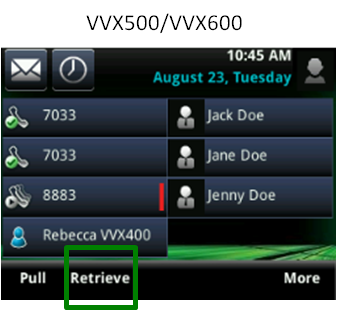
- From any phone, tap the Retrieve soft key. (You may need to tap the More soft key to get to the Retrieve soft key.)
- When prompted, enter the extension the call was parked on, followed by the # key.
The phone retrieves the call from the cloud.