

Starting, stopping, and restarting a bare metal server
Use Lumen Connect to stop, start, or restart a Lumen® Edge Bare Metal server provisioned for your organization. You can also edit information and view the details for a bare metal server. If you no longer need the bare metal server, you can delete it.
Note: Stopping, starting, and restarting do not impact billing. When you delete a bare metal server, billing is stopped.
To start, stop, and restart a server:
- Click the Servers tab.
Lumen Connect shows the servers created for your organization with a status and brief summary for each server (name, location, IP address, server ID, and tags assigned to the server).
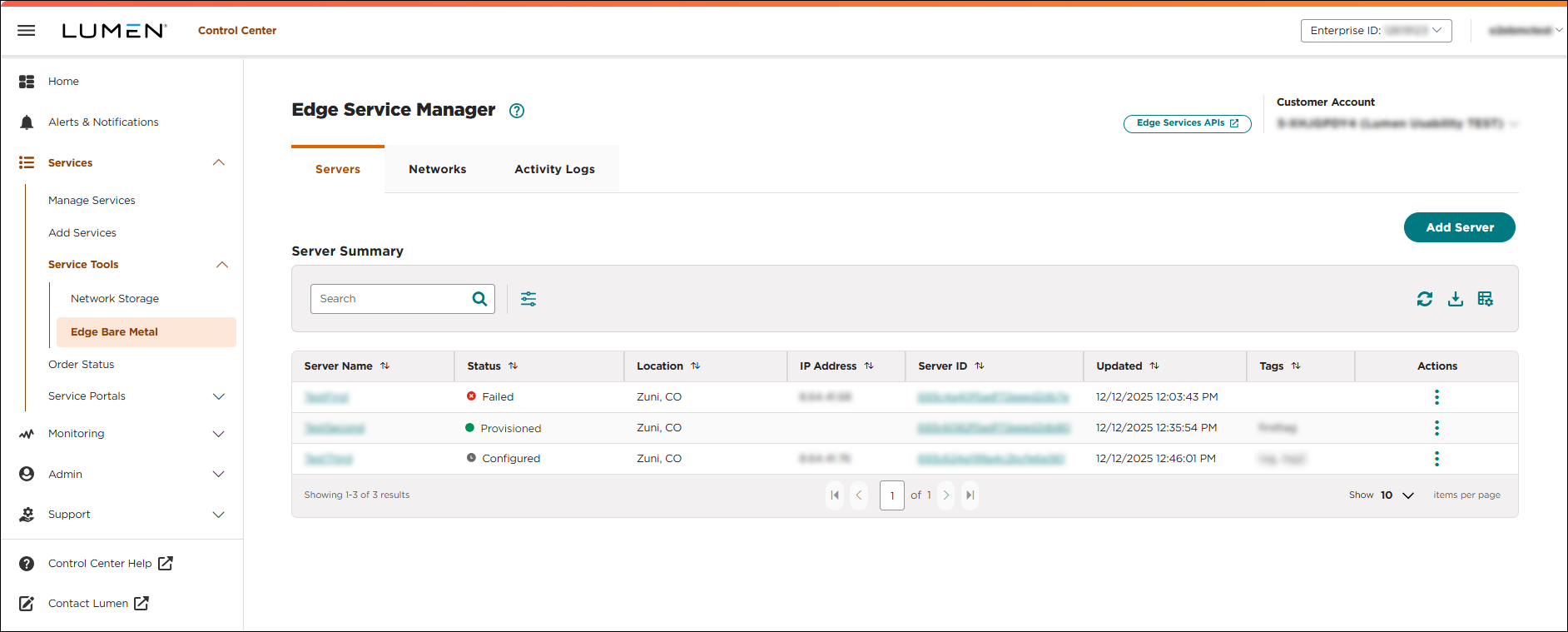
- Click the server name you want to work with to view details for that server.
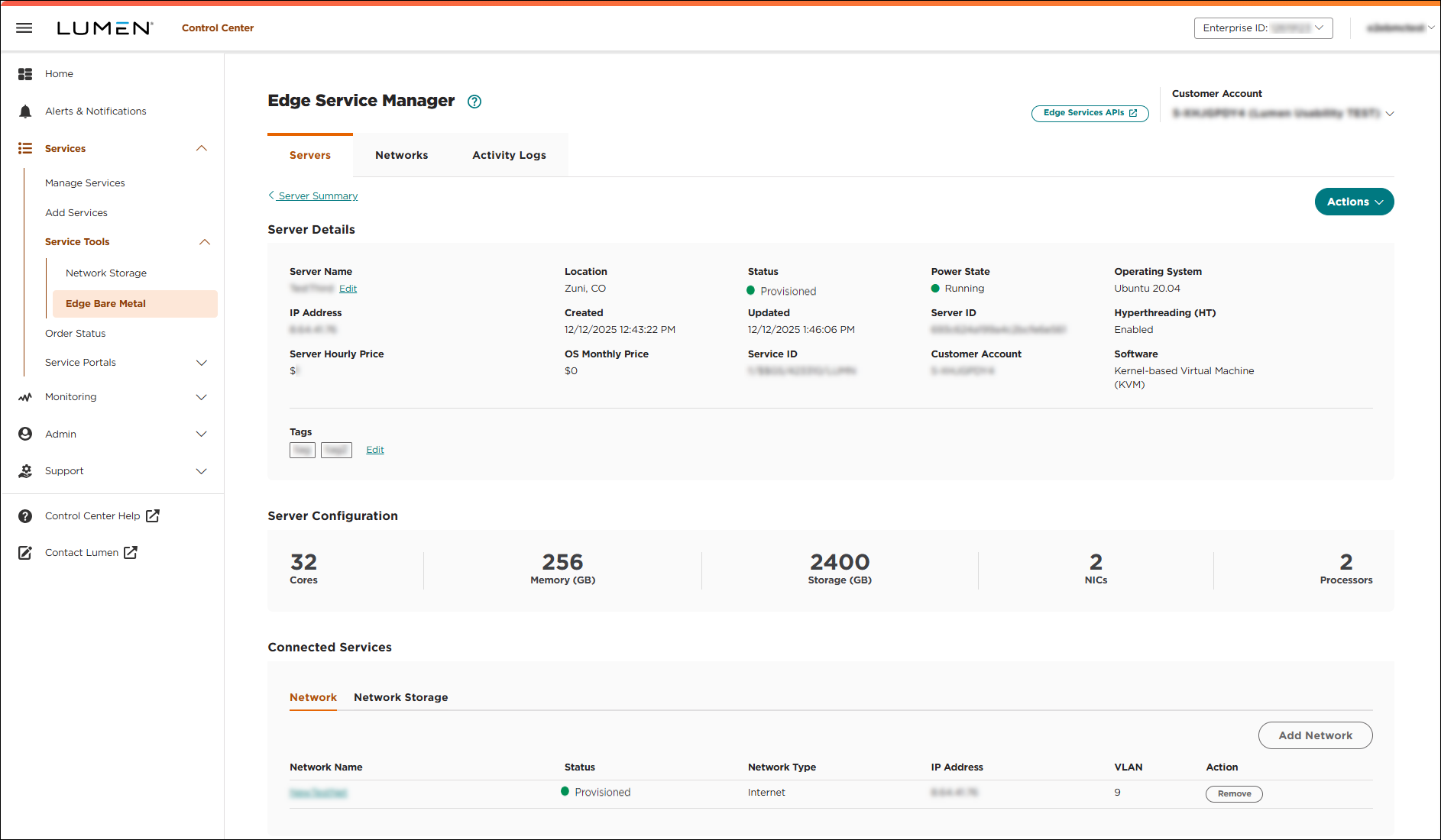
- Complete one of the following tasks:
- To stop the server, click Actions, then click Stop.
Lumen Connect stops the server.
- To start the server, click Actions, then click Start.
Lumen Connect starts the server.
- To restart the server, click Actions, then click Restart.
Lumen Connect restarts the server.
- To stop the server, click Actions, then click Stop.



