

Reserving a phone number for Local Inbound
Using Lumen Connect, you can reserve phone numbers for Lumen® Local Inbound (LI) service (up to 399 per rate center every 30 days). You must use at least 75% of your current inventory in a rate center before ordering more phone numbers. You can also reserve phone numbers for Lumen® VoIP Enhanced Local (ELS) and port phone numbers to a Local Inbound service.
If you need to reserve more than 399 phone numbers in a rate center, follow the TN exception process by emailing the Service Activation team. Lumen reserves the right to reject orders if found ordering outside of guidelines.
To reserve a phone number for Local Inbound:
- Using the left menu, click Services, click Service Tools, then click ELS & LI Management.
- If you have more than one customer number on your enterprise ID, select the customer number you want to work with, then click PROCEED.
- Click the TN Reservation tab.
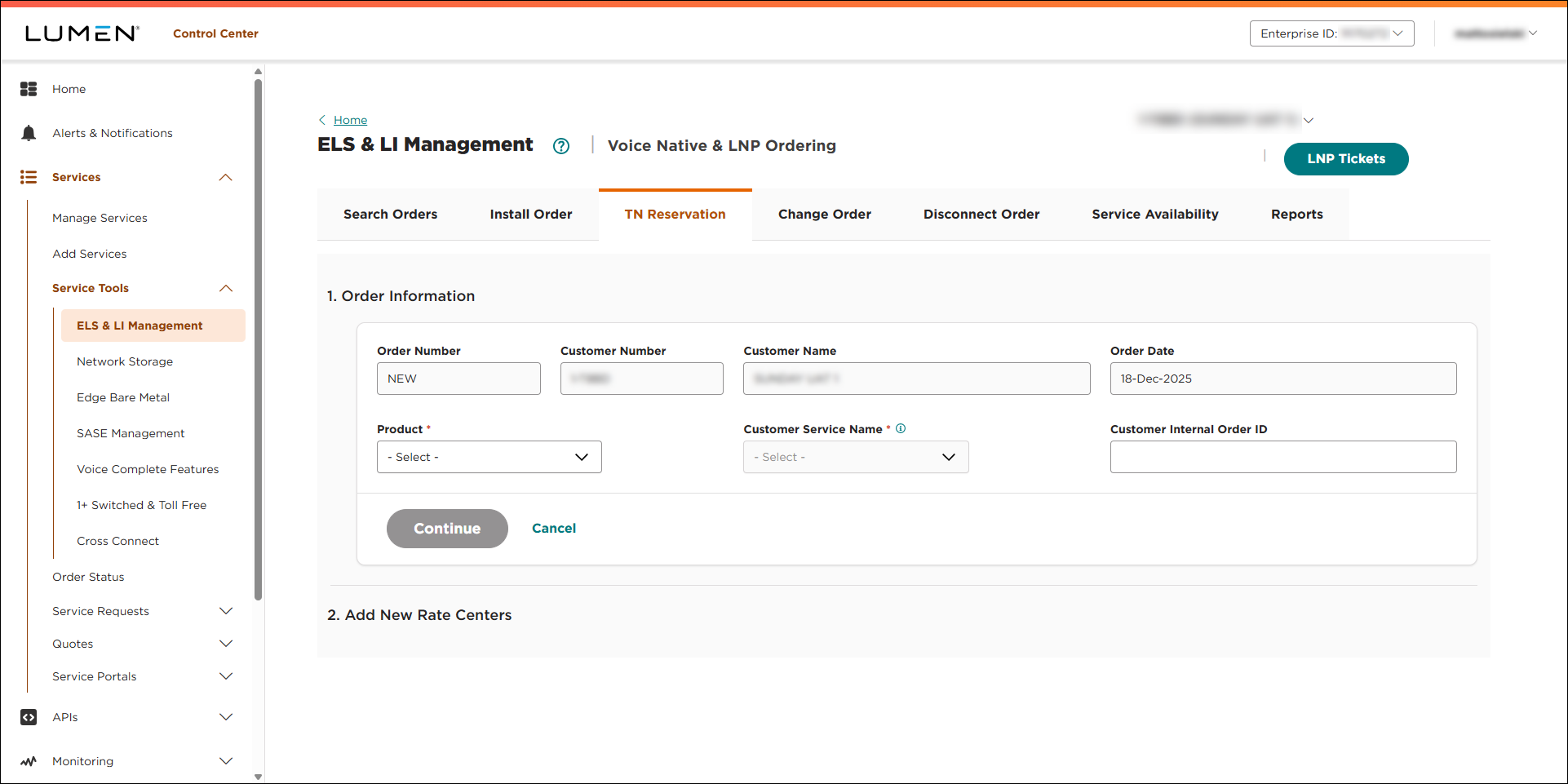
- Fill in the Order Infomation section:
- From the Product list, select LI.
- From the Customer Service Name, select the trunk group you want the assign the phone number to. (Be sure to reserve the phone number under the customer service name you want to install the phone number under.)
- If you want to add an internal tracking number, type it in the Customer Internal Order ID field.
- Click CONTINUE.
- From the Product list, select LI.
- Fill in the Add New Rate Centers section to tell us how many phone numbers you want to order for each rate center:
- Do either of the following to select the rate center you want to reserve number in:
- Use the State and Rate Center lists to select the state and rate center.
- Click Find Rate Center By Address, type the address you want to search for, click Identify Rate Center, then click APPLY.
- Use the State and Rate Center lists to select the state and rate center.
- In the TN Qty field, type the number of phone numbers you want to reserve for the rate center (up to 399).
- From the Sequential Indicator list, select either Full Sequential (for consecutive numbers) or Best Sequential Available (if you have no preference).
- If you need to request numbers that exclude a certain single digit in a certain place due to PBX dialing restrictions, use the PBX Index and PBX Value lists to select the digit (value) to be excluded and the index (placement in the phone number) to be considered.
- Do either of the following to select the rate center you want to reserve number in:
- To reserve numbers in another rate center, click Add Another Row and repeat step 6.
- Click FINISH.
Lumen Connect places your order and shows the status of your order as Created. You can now track the status of your order in Lumen Connect.



