

Downloading the Dedicated 8XX Batch Formatter
You can use the Dedicated 8XX Batch Formatter to create new 8XX bulk add files for adding dedicated 8XX numbers to your account. Dedicated 8XX batch supports adding new/reserved and complementary carrier dedicated 8XX.
You may need administrator rights to install the software to your computer; check with your company's IT department to get administrator rights or help installing the software.
To download the Dedicated 8XX Batch Formatter:
- Using the left menu, click Orders, click Manage Orders, then click Batch.
- In the Ordering Type field, select the Dedicated radio button.
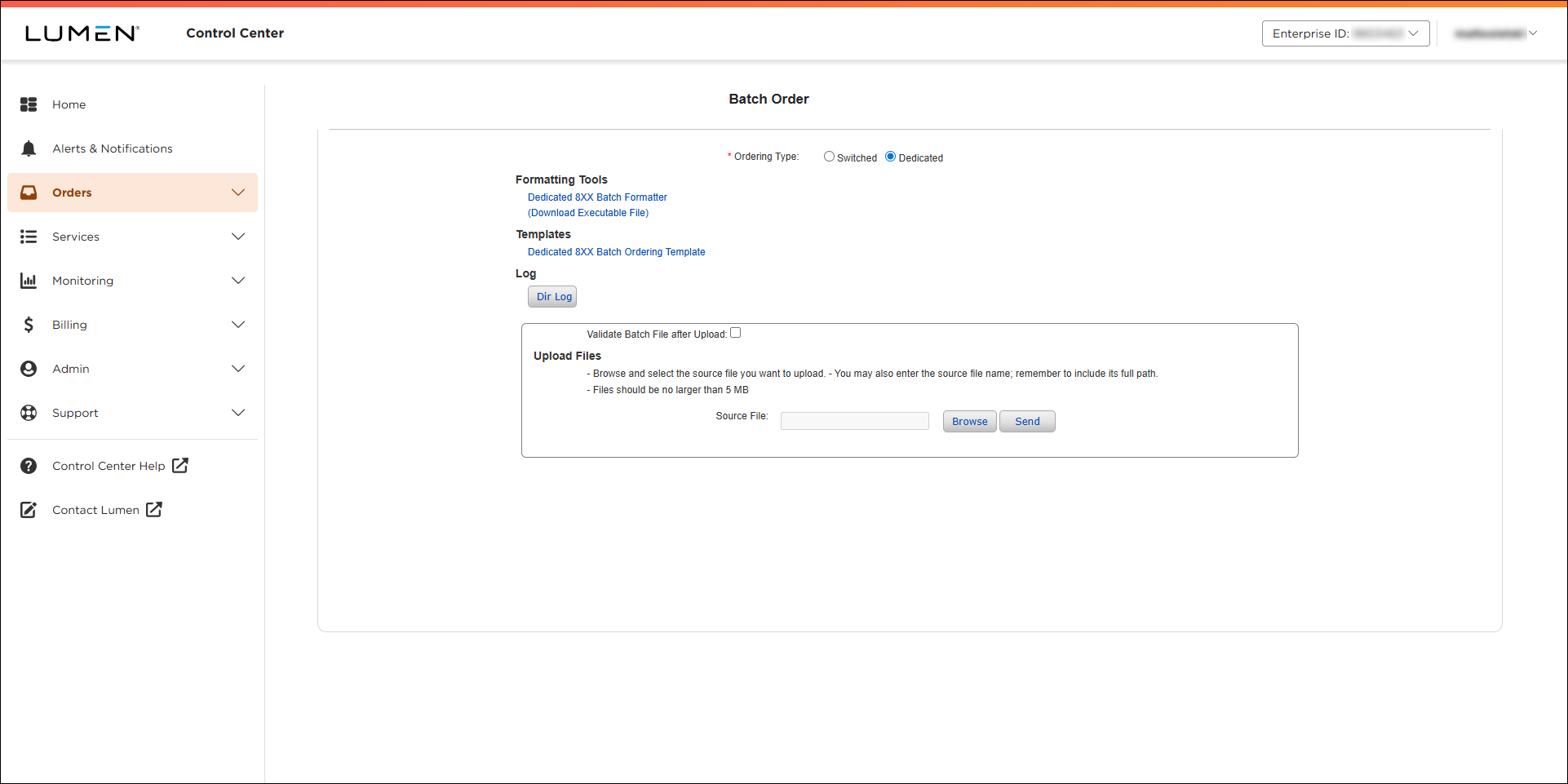
- Under Formatting Tools, click Dedicated 8XX Batch Formatter (Download Executable File).
Depending on your browser, the file may download automatically or your browser will prompt you to select where to save the file.
- To begin installing the software, double‑click the file.
- Follow the steps in the install wizard to select where you want to install the software, where you want the program icon, etc.
- When the installation is complete, click Done.



