Viewing your Voice Complete phone number profile
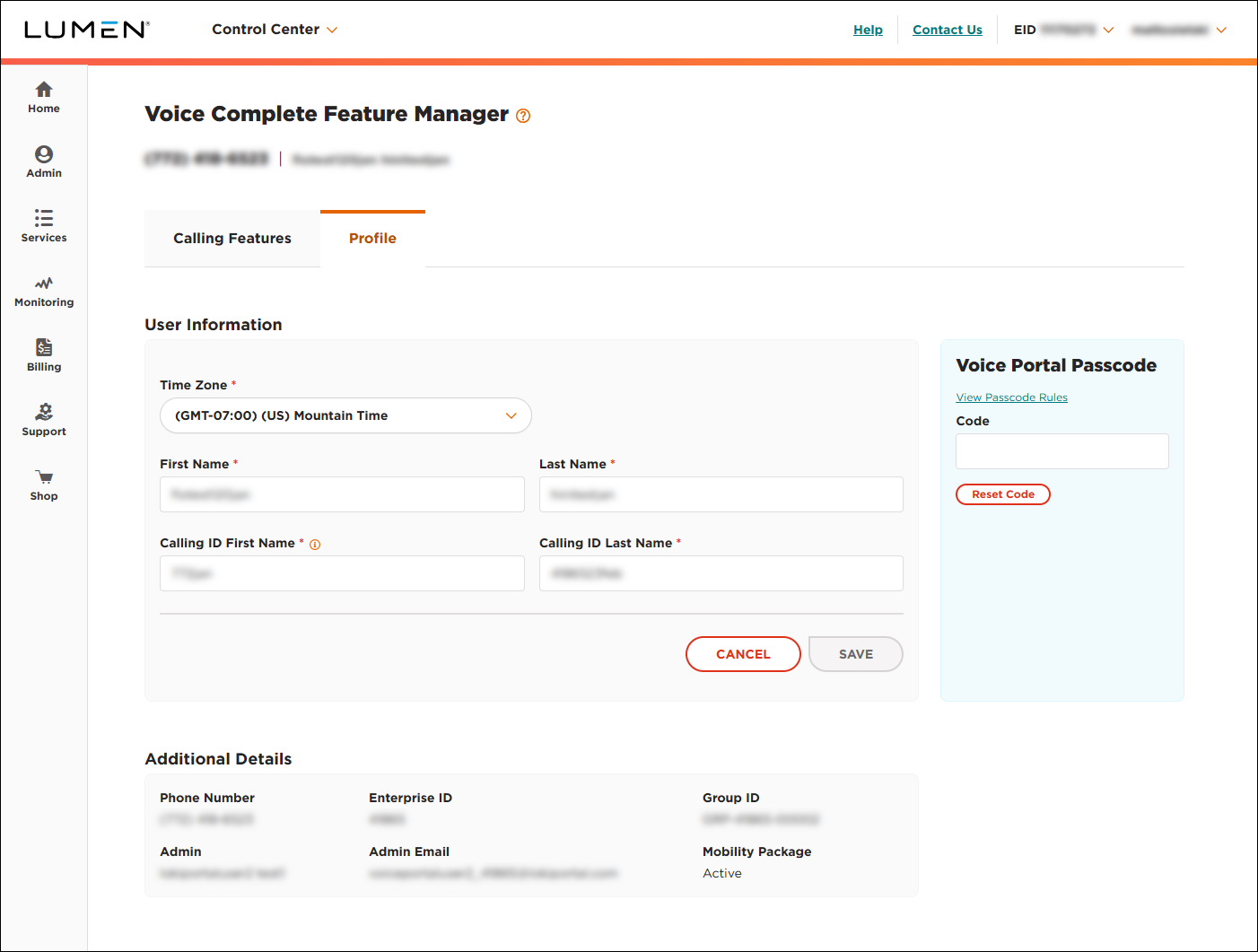
As a Lumen® Voice Complete® user, you can use the Voice Complete Feature Manager in Lumen Connect to view the profile information associated with your phone number: your name and time zone, your name as shown on caller ID, the group your phone number is associated with, the administrator for your group, and whether the Mobility feature pack is active for your phone number. If you need to make changes to your profile, such as changing your name or resetting your voice portal passcode, you can update your profile.
To view your Voice Complete phone number profile:
- Using the left menu, click Services, click Service Tools, then click Voice Complete Features.
Lumen Connect shows the calling feature settings for your Voice Complete phone number.
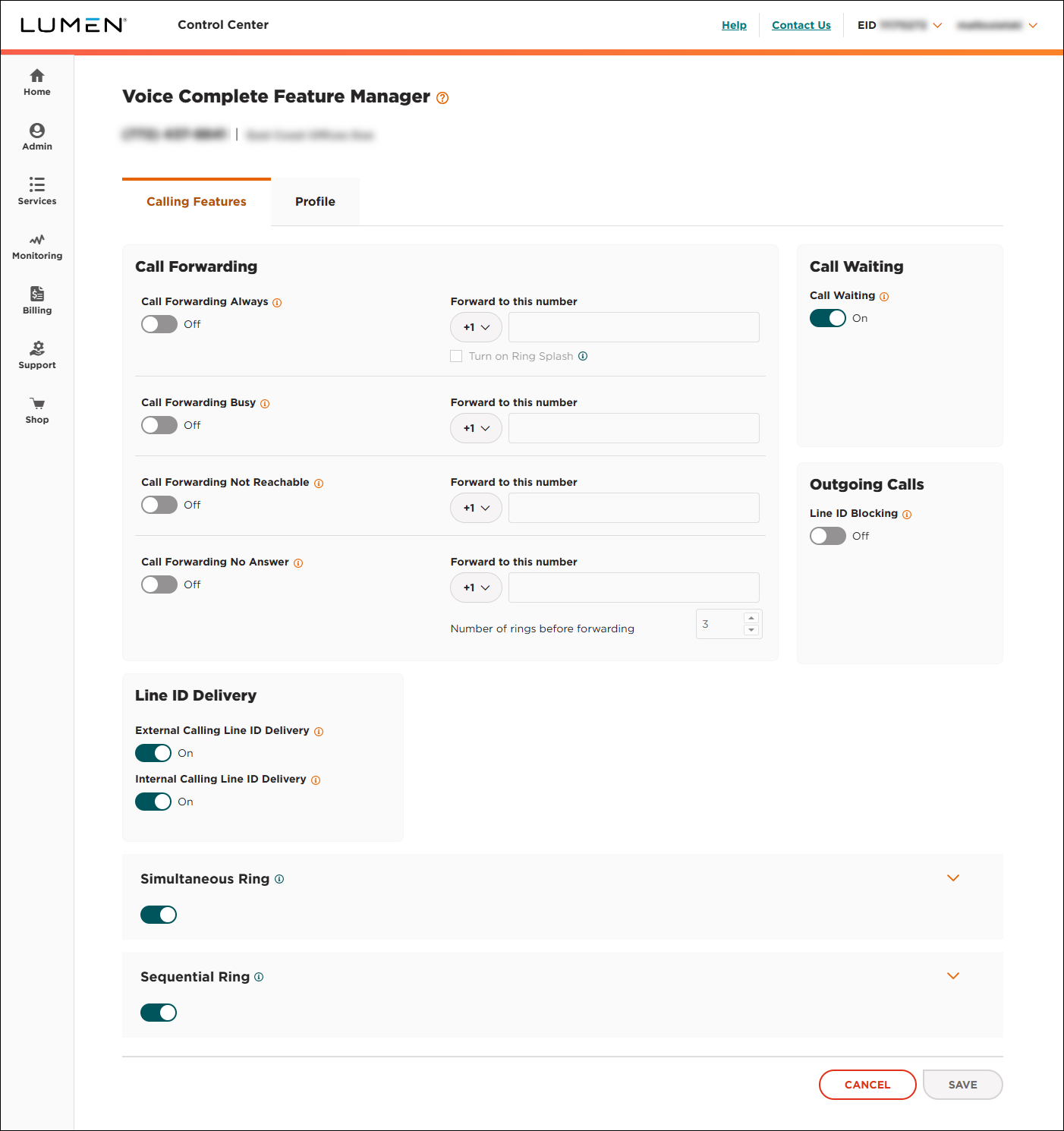
- Click the Profile tab.
Lumen Connect shows the profile information for your Voice Complete phone number.