

Updating your Voice Complete phone number profile
As a Lumen® Voice Complete® user, you can use the Voice Complete Feature Manager in Lumen Connect to update the profile information associated with your phone number. You can update your name, time zone, caller ID name. You can also reset the passcode you use to access the voice portal. (Your voice portal passcode is valid for 30 days, so be sure to update it before it expires.)
Need to forward your phone number? Learn how to manage calling features for your Voice Complete phone number
To update your Voice Complete phone number profile:
- Using the left menu, click Services, click Service Tools, then click Voice Complete Features.
Lumen Connect shows the calling feature settings for your Voice Complete phone number.
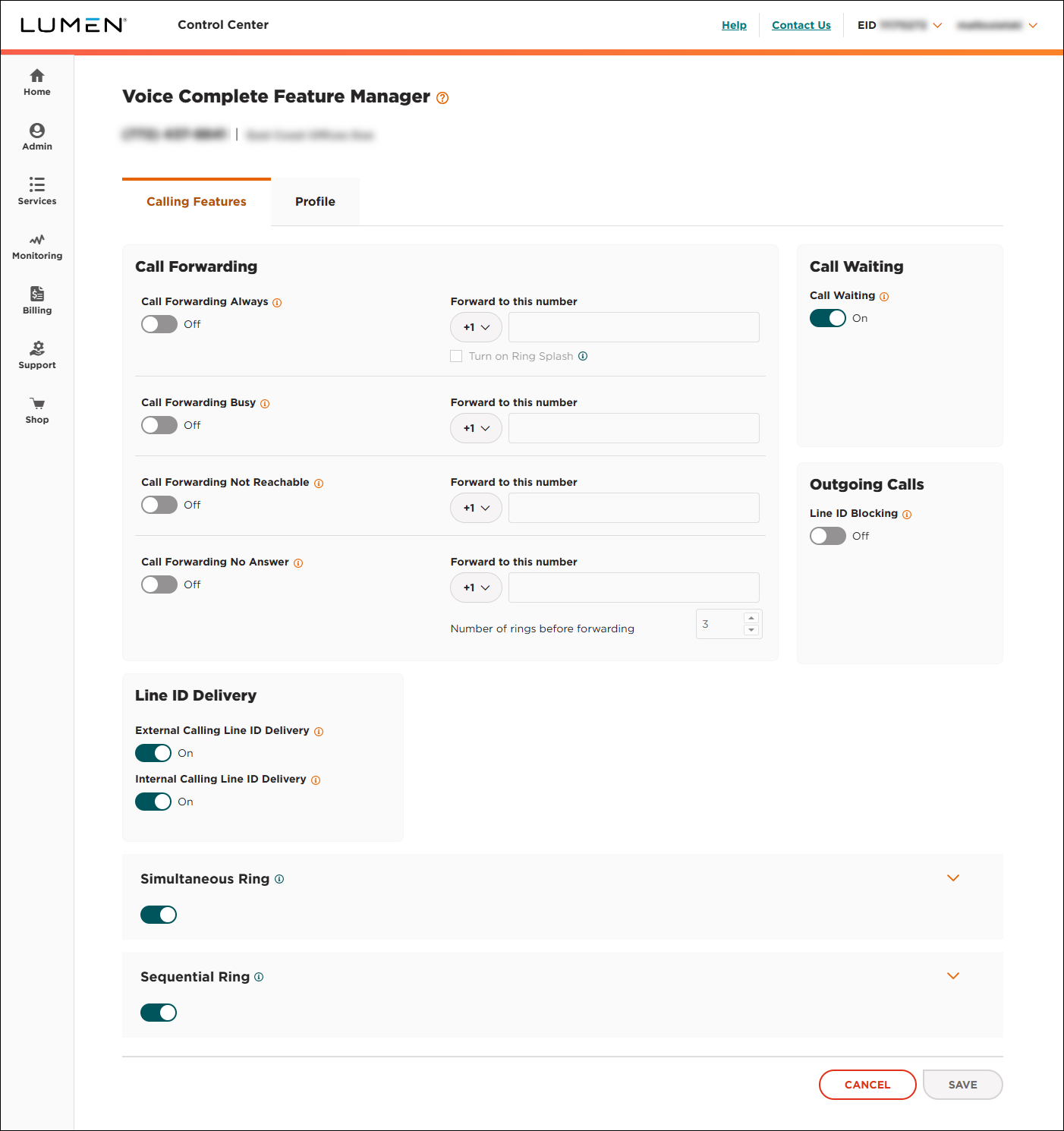
- Click the Profile tab.
Lumen Connect shows the profile information for your Voice Complete phone number.
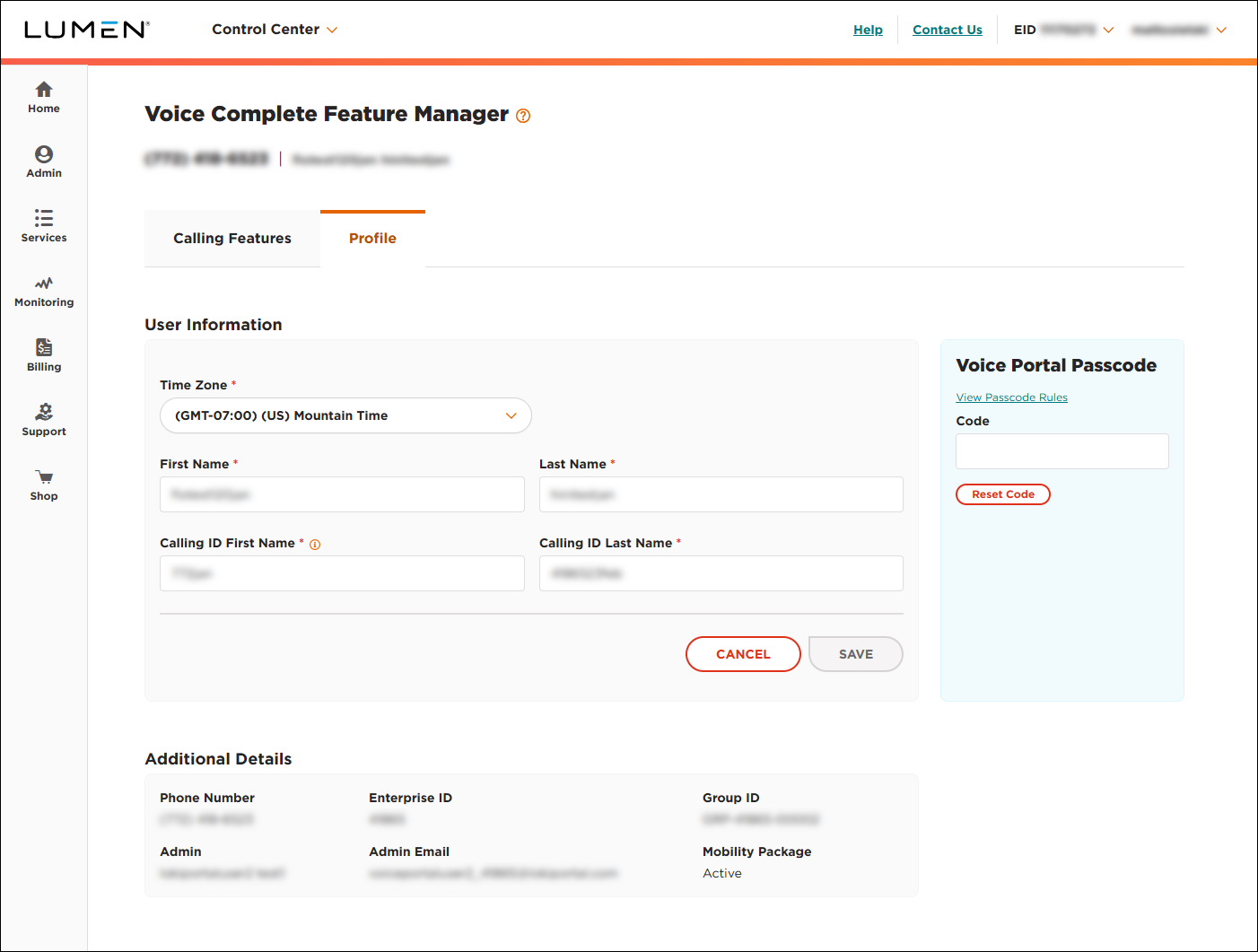
- Do any of the following to make changes to your profile:
- To update your time zone, select an option from the list, then click SAVE.
- To change your name, make updates to the First Name and Last Name fields, then click SAVE.
- To change your caller ID name, make updates to the Calling ID First Name and Calling ID Last Name fields, then click SAVE.
- To change your voice portal passcode, type a new code in the field, then click Reset Code. (Your passcode is valid for 30 days.)
- To update your time zone, select an option from the list, then click SAVE.



