

Changing your status in a queue
Using the Contact Center Client, you can manually set your status in a queue so that calls can be routed to you if you’re available or rerouted to a supervisor or another agent if you’re unavailable. If you're a supervisor, you can change the ACD status for an agent.
Note: If your organization’s administrator programmed soft keys on your desk phone, you can change your status from your phone, which will immediately sync with your Contact Center Client and show your status.
To change your status in a queue:
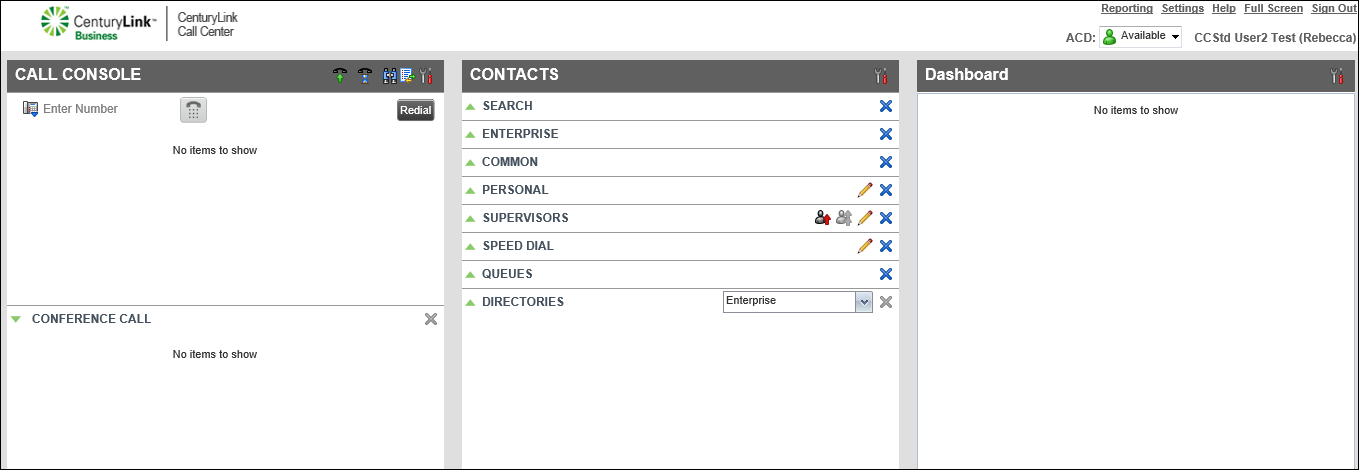
- From the top-right menu on the Contact Center Client's main page select an option from the ACD list. Queue status options include:
- Available—signed in and available to take a call from the queue
- Unavailable—signed in to the queue but not available to take a call
- Wrap-Up—signed in to the queue but wrapping-up a call
- Available—signed in and available to take a call from the queue
Note: Wrap‑Up status is a timed setting (set by your organization’s administrator or if you’re given permissions, you can change it). You won’t receive a call until the end of the set time or you manually change your status from Wrap‑Up to Available.



