

Starting, stopping, or restarting a VNF
Use Lumen Edge Gateway Manager to start, stop, or restart a VNF (Virtual Network Function) on an Edge Gateway™ device. You may want to stop or restart a VNF if you encounter errors. To check device configurations, view the device details at any time. Stopping a VNF does not make allocated resources available for other VNFs. To make allocated resources available for other VNFs, you must delete a VNF.
To start, stop, or restart a VNF:
- Sign in to Lumen Edge Gateway Manager.
- Use the search field to search for the Edge Gateway device, then click View VNFs on the Edge Gateway device.
The VNF information expands.
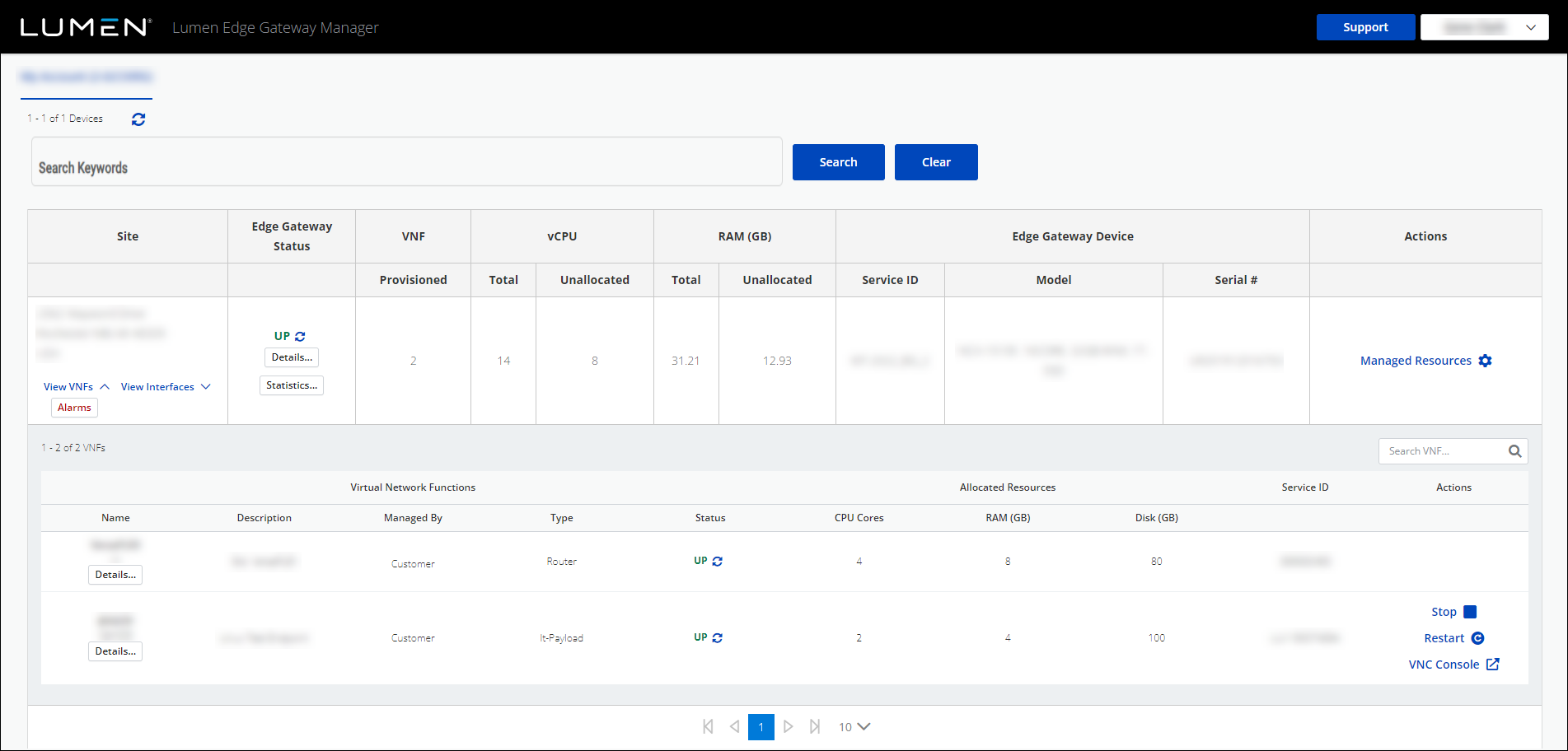
- Complete any of the following tasks:
- To stop a VNF, click Stop.
Lumen Edge Gateway Manager stops the VNF.
- To start a VNF, click Start.
Lumen Edge Gateway Manager starts the VNF.
- To restart a VNF, click Restart.
Lumen Edge Gateway Manager restarts the VNF.
- To stop a VNF, click Stop.



