

Editing a time period that sements call flow
You can easily change a filter you added to create a time period to segment call flow in Usage Analyst. (You can only edit the time period if you created it.) If you no longer need a time period, you can delete it from Usage Analyst.
To edit a time period that segments call flow:
- Using the left menu, click Monitoring, click Voice Reports, then click Usage Analyst.
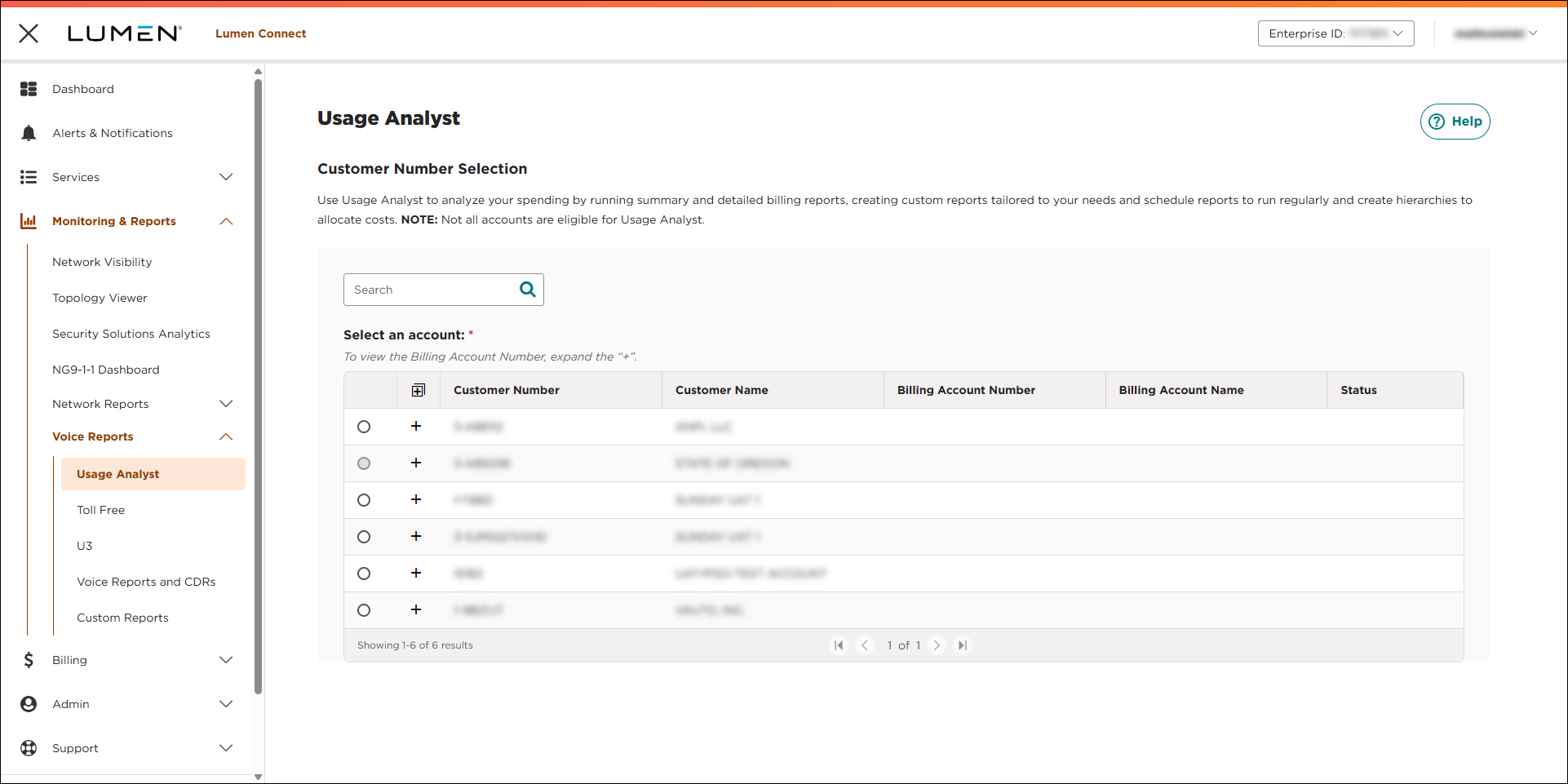
- Select the radio button next to the account you want to view, then click LAUNCH USAGE ANALYST.
Lumen Connect opens Usage Analyst in a new tab.
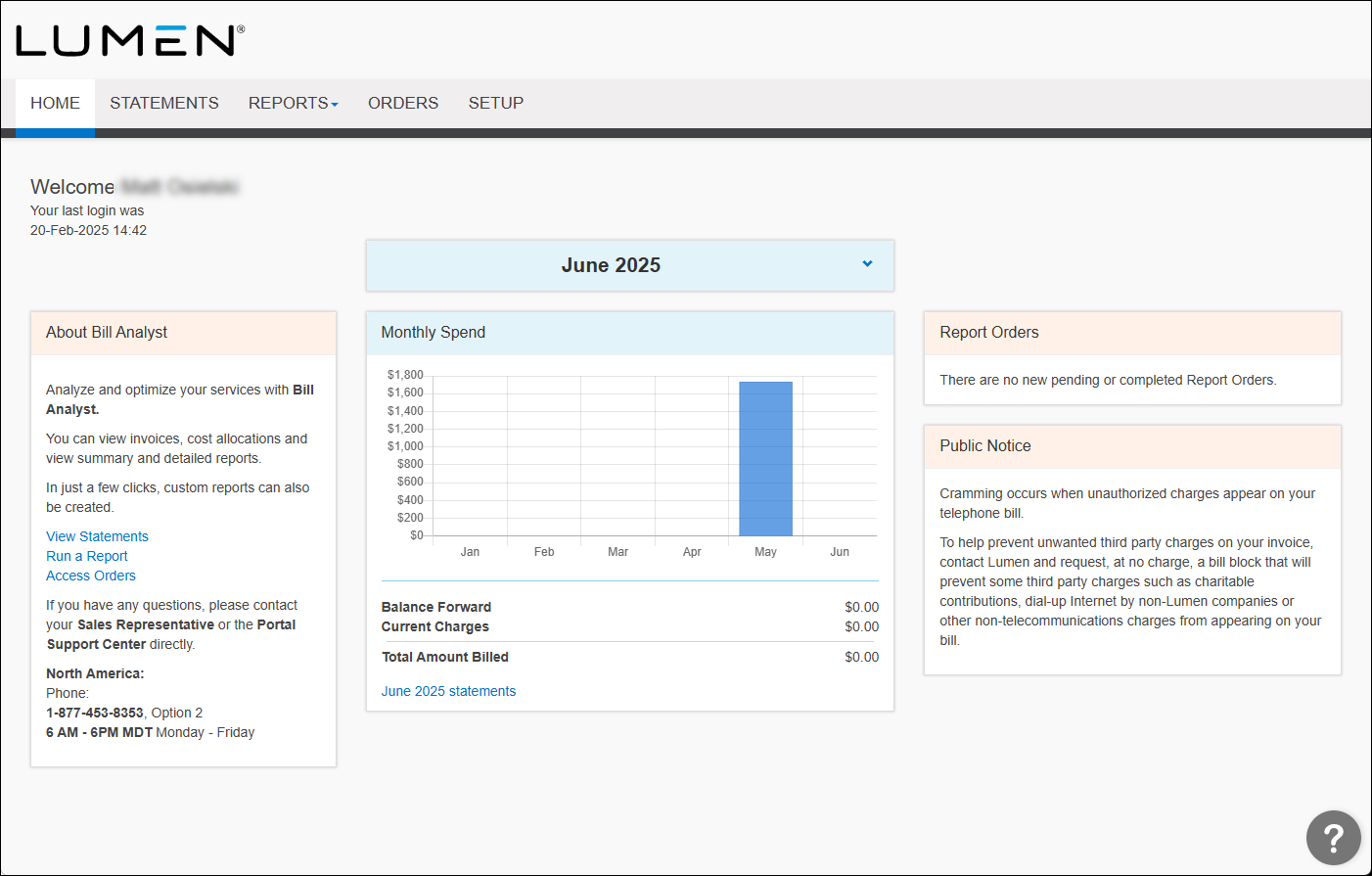
- Click the Setup tab.
- In the Tools section, click Filters.
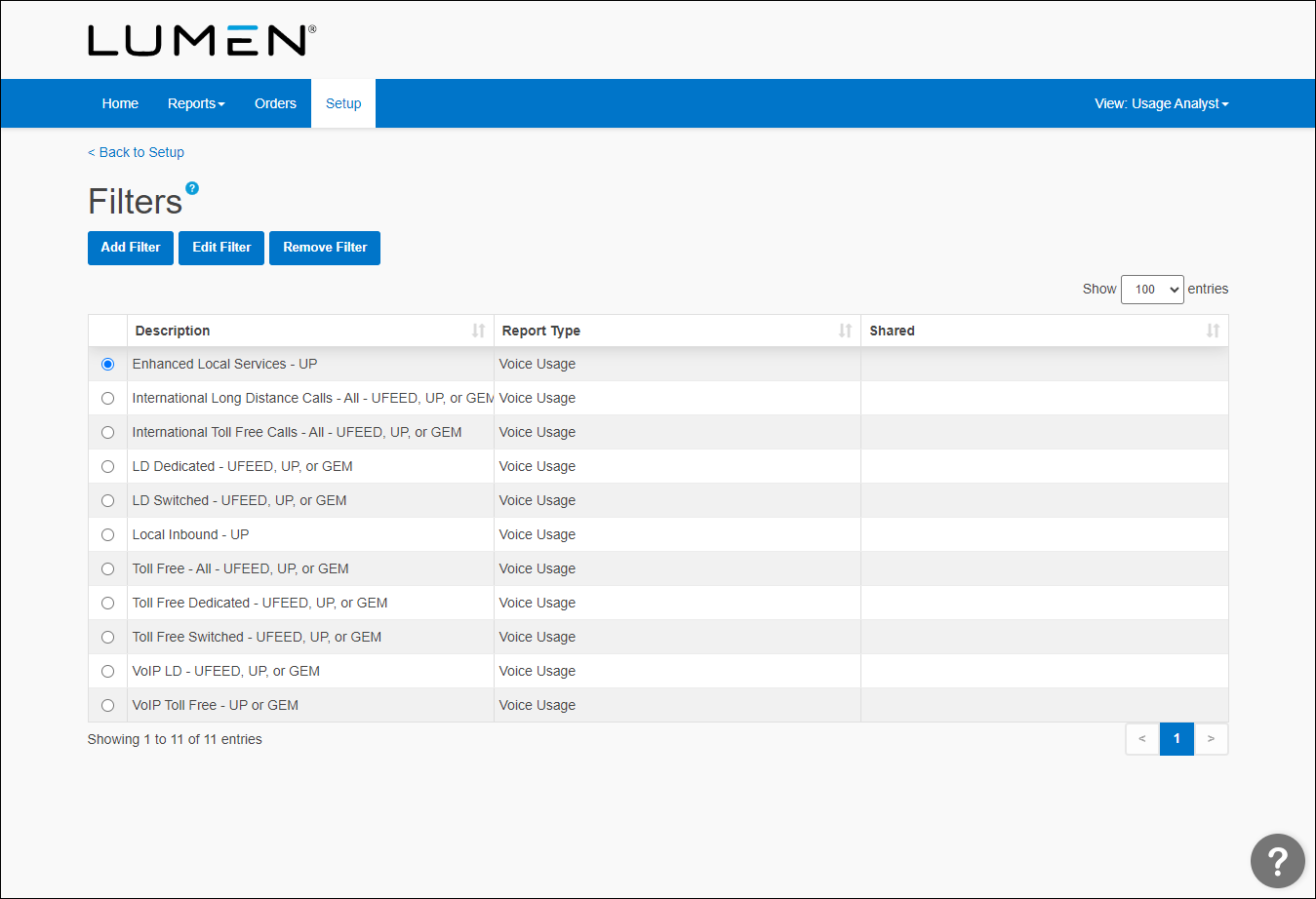
- Select the radio button of the report you want to edit a filter for, then click Edit Filter.
- Update your filtering parameters.
- Click Save.



