

Using online order forms (OLOFs)
You can use online order forms (OLOFs) to submit service orders to Lumen. Select the type of OLOF you need for the order type or port type you want to submit.
You can save an OLOF to complete later; it's easy to troubleshoot most common problems with submitting an OLOF.
Choosing an online order form (OLOF)
| OLOF | Order/port type | Additional information |
| Collocation | Order type:
| Lumen Telco‑Colocation service offers IXC IP and transport customers the option to lease space in a Lumen point of presence (PoP) or a remote colocation (ROW) site. |
| Eline | Order type:
| E‑Line uses Ethernet over MPLS over a non‑oversubscribed DWDM network that combines the benefits of intelligent routing with the advantages of 100 percent committed bandwidth. |
| IP Solutions | Port type:
| IP Solutions is a globally available data solution comprised of a suite of Lumen (QCC) products built upon a standards‑based MPLS (multi‑protocol label switching) framework the Lumen AS‑209 network, providing direct access to the Lumen Fiber Network. IP Solutions can be used to create multi node networks or provide Internet access. |
| IP Voice LD or Toll Free | Select either one, or both:
(OLOF will add either or both sections, as selected) | IP Voice 1+ Termination, Origination, and International Gateway provides a cost‑effective way for service providers to terminate and originate phone calls worldwide while taking advantage of IP voice technology.
|
| Private Line | Order type:
| Private Line carries voice, data, and video between geographically dispersed locations. It provides your customers with scalable, reliable, and secure transport using a direct channel from one location to another. Domestic Private Line, International Private Line, Metro Private Line, Ethernet Private Line also available, but only for disconnects. |
| TDM Voice Toll Free | Order type:
| Formerly known as STFO Standard Toll Free Order form
*TDM trunk groups only; for IP Voice/VoIP trunk groups and/or 8XX numbers, use the "IP Voice or Toll Free" OLOF (see above) |
| TDM Voice LD | Order type: DAL, DS1, DS3, OC3, OC12, OC48, OC192 |
- From the Lumen Connect dashboard, click Manage Orders (in the Frequently Visited widget).
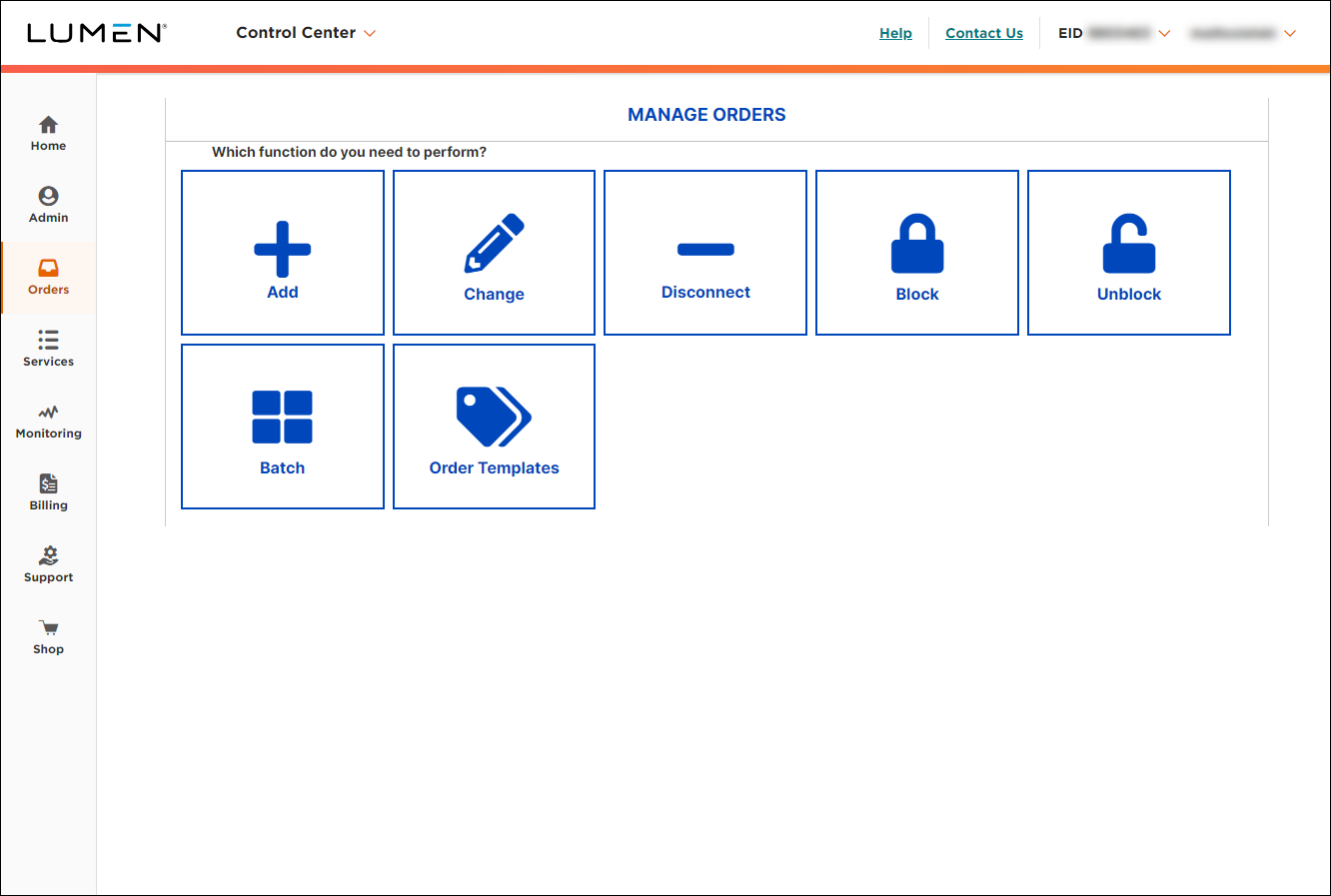
- Select Add, Change or Disconnect, then select the appropriate Online Order Form from the Service Type list.
- Open each section and complete the information requested.
- On an OLOF with a Service Address Information section, you need to validate the service address in order to submit the form, even it you have already validated the address when you saved the form earlier.
- Lumen Connect automatically adds the account numbers to the Customer Account Number list.
- By default, Lumen Connect uses your profile information to fill in the primary contact information.
- Some OLOFs may give you different fields, depending on the action you select. For example, the TDM Voice Toll Free OLOF for a disconnect will have fewer sections, because it only needs a list of toll‑free numbers that are to be disconnected.
- On an OLOF with a Service Address Information section, you need to validate the service address in order to submit the form, even it you have already validated the address when you saved the form earlier.
Note: After you complete the Service Address Information section and click Validate Address, you may be presented with the message "Exact Service Address could not be found. Please select a location from the near match list." You can select one of the presented address options, or "Use address as entered."
- When you're done, click Submit Request.
Lumen Connect emails you to confirm your order and includes a copy of your OLOF. The OLOF is also available in Lumen Connect for 90 days; check preliminary order status.
You can contact us for order status. Lumen Connect also offers milestone jobstep order status information; check post‑submission order status.



